

WPUF N8N Integration for Registration form
N8N is an open-source workflow automation tool that connects different apps and services to automate tasks. It works similarly to tools like Zapier or Make (Integromat), but it is self-hostable and more customizable.
This integration allows WordPress post submission from a front-end form to trigger an automation workflow in n8n. Let’s dive into it.
Before setting up the integration, ensure the following:
- n8n account or self-hosted instance
- Created a Post Form in WP User Frontend
- Access to create Workflows in n8n
To create a Workflow in n8n
- Log in to your n8n dashboard
- Click Create Workflow
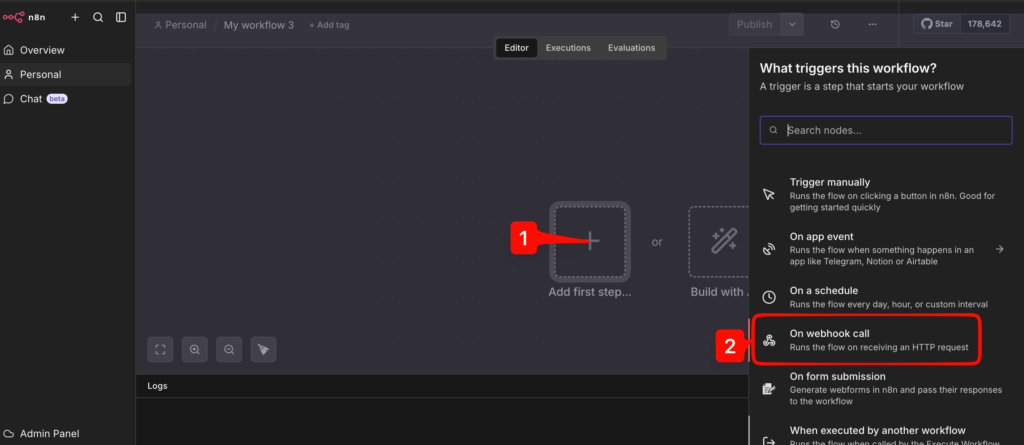
1. After added your first workflow >> Add first step >> Click “ On webhook call”
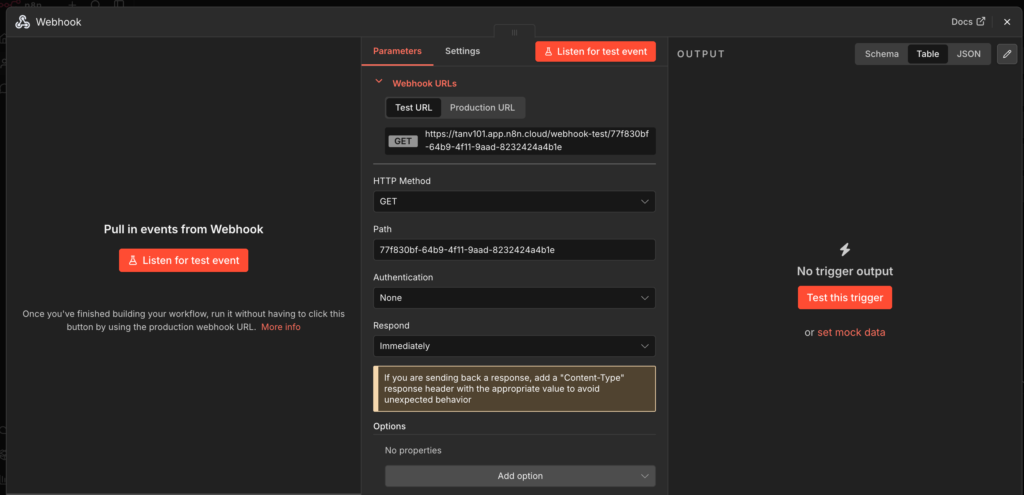
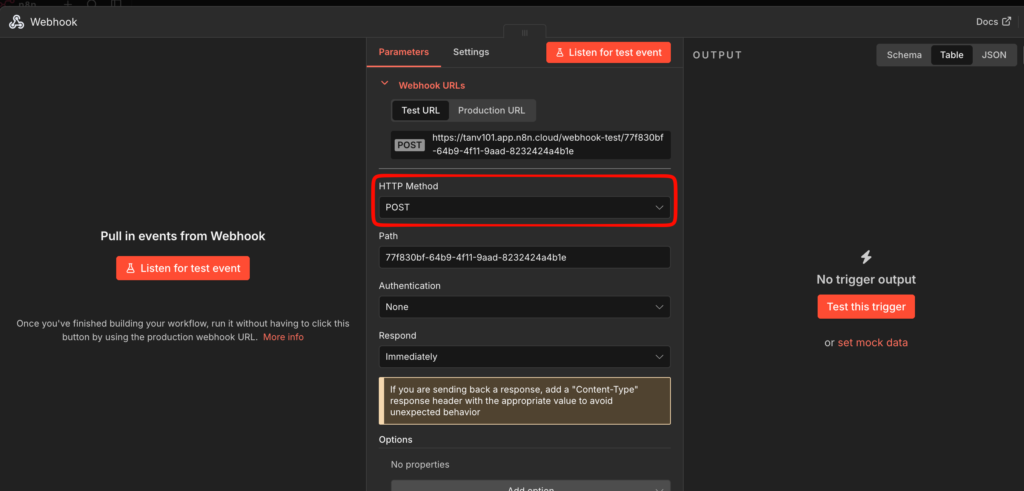
2. Now, click on the HTTP Method dropdown and select “Post”, so whenever WordPress triggers this endpoint, the workflow will start.
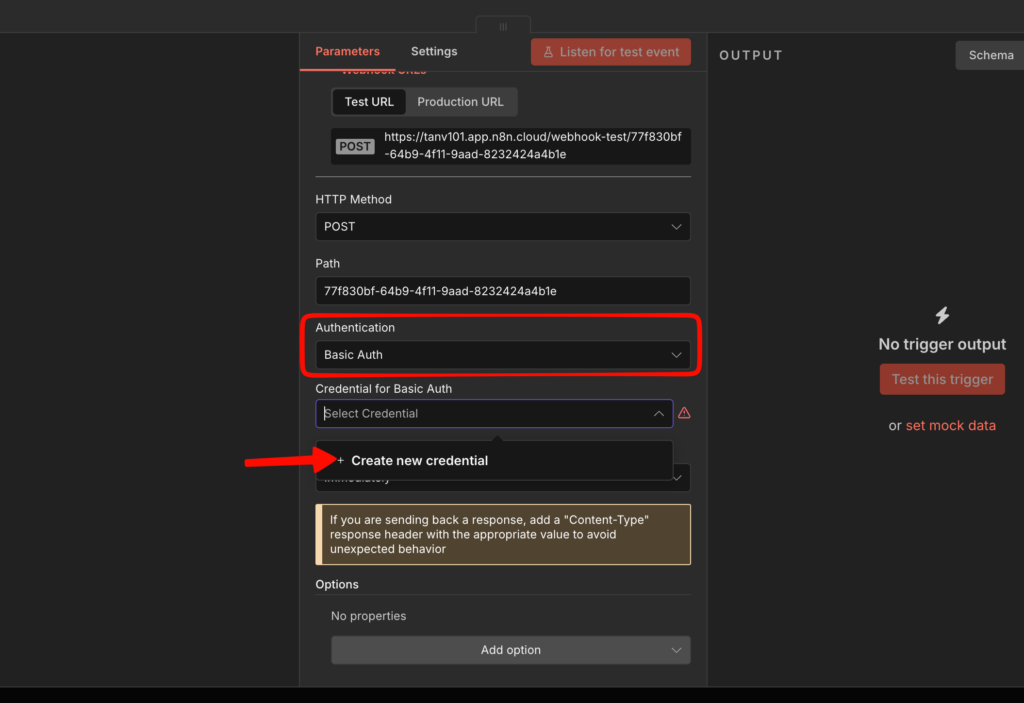
3. Click on Authentication and select “Basic Auth”. Then select “Create new credentials” for Basic Auth.
You can also choose Header Auth/JWT Auth depending on your niche. All processes are the same.
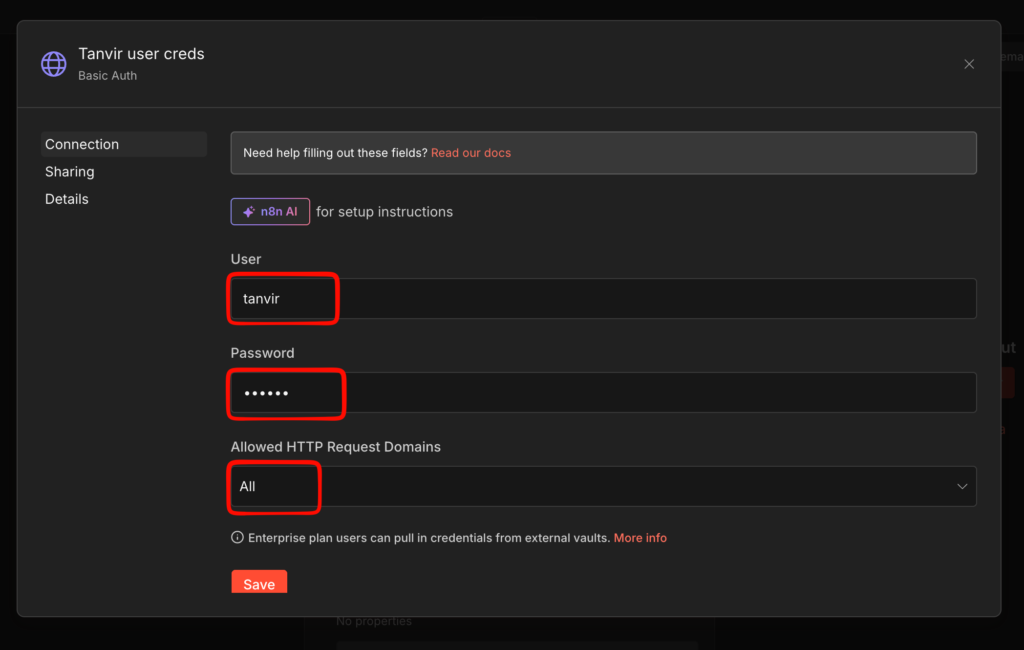
4. Provide the user and password, and keep the allowed HTTP Request domains for “All” then save.
Keep/save the user and password in your clipboard/text file.
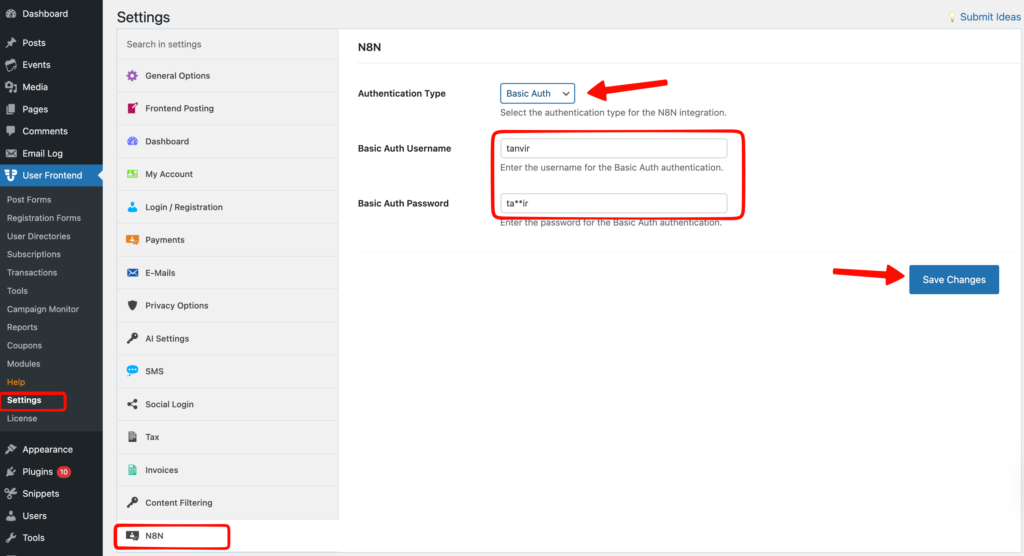
5. Now navigate to your WP Admin dashboard >> User Frontend >> Settings >> N8N.
Select Authentication Type >> Basic Auth >> Save changes.
Paste the username and password from N8N credentials you saved in your clipboard/text file.
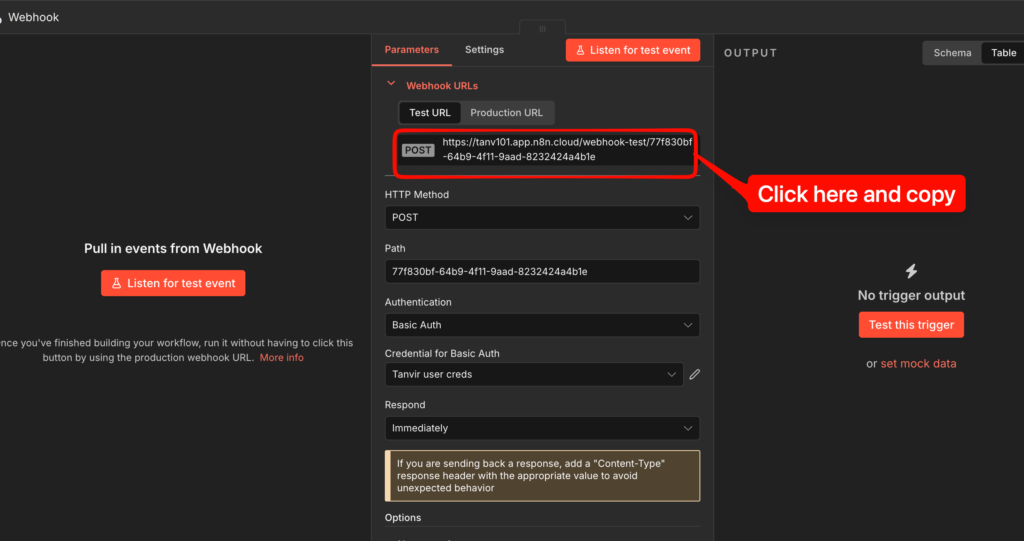
6. Then navigate to your N8N webhook page and copy the webhook URLs.
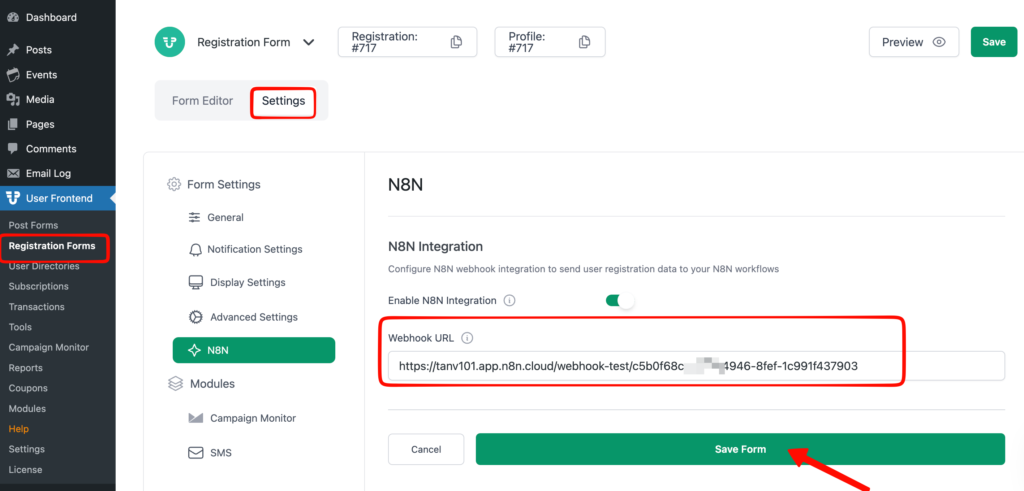
7. Navigate to Registration Form >> Settings >> N8N >> Webhook URL >> Paste webhook URL and save form.
8. Go to the N8N webhook page and click on listen to test event.
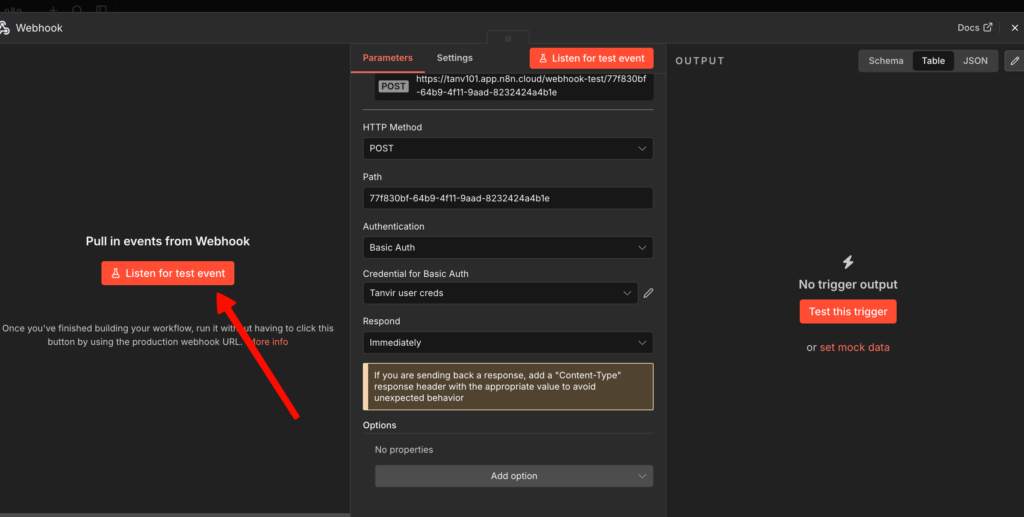
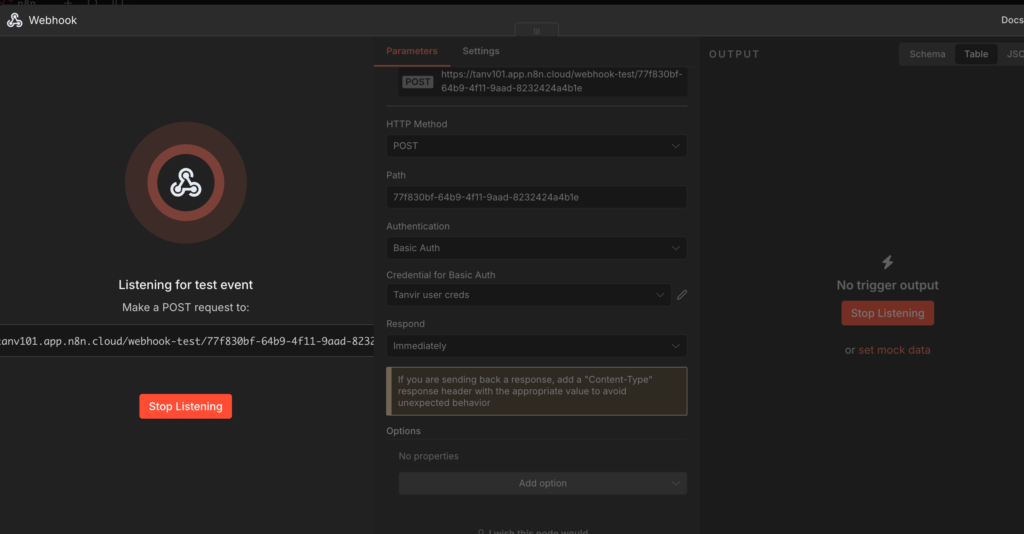
9. Now fill up your Registration Form fields and submit the form.
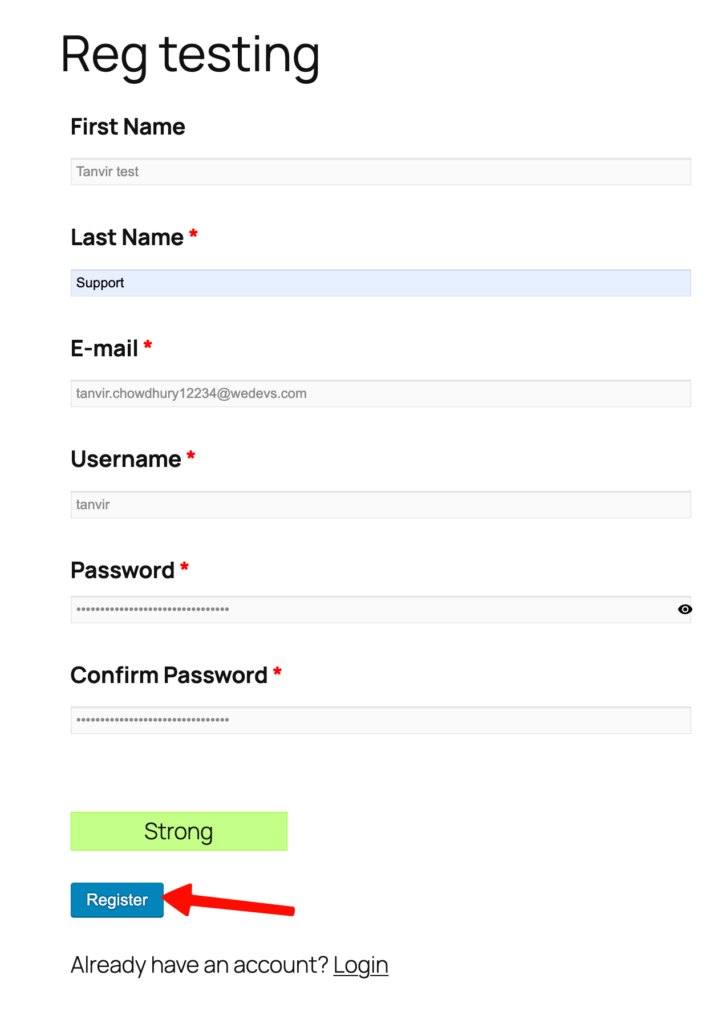
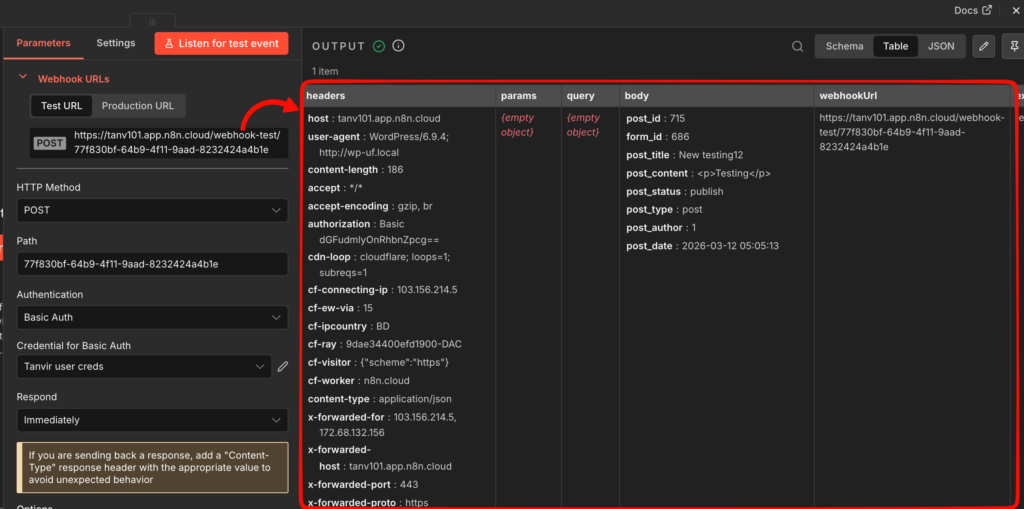
10. Since Listen for Test Event is enabled, n8n will capture the incoming request.
The webhook output will display headers, params, query, body, and webhookUrl
After testing:
- Turn Workflow Active
- Replace Test URL with Production Webhook URL
This ensures the webhook will receive requests continuously.
