How to Archive Task Lists in WP Project Manager
A- A+
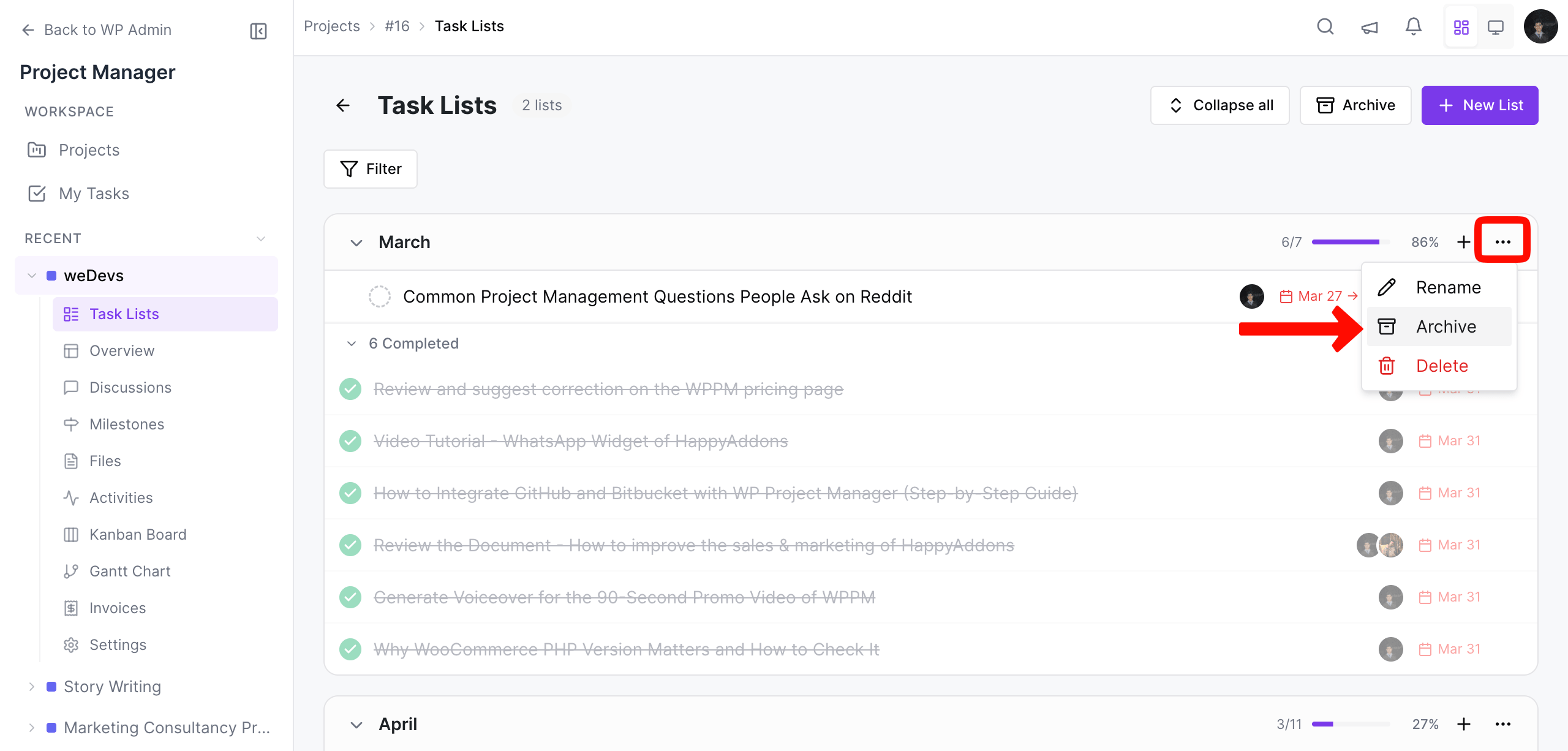
To archive a task, click on the Archive icon on the top far right of a task list.
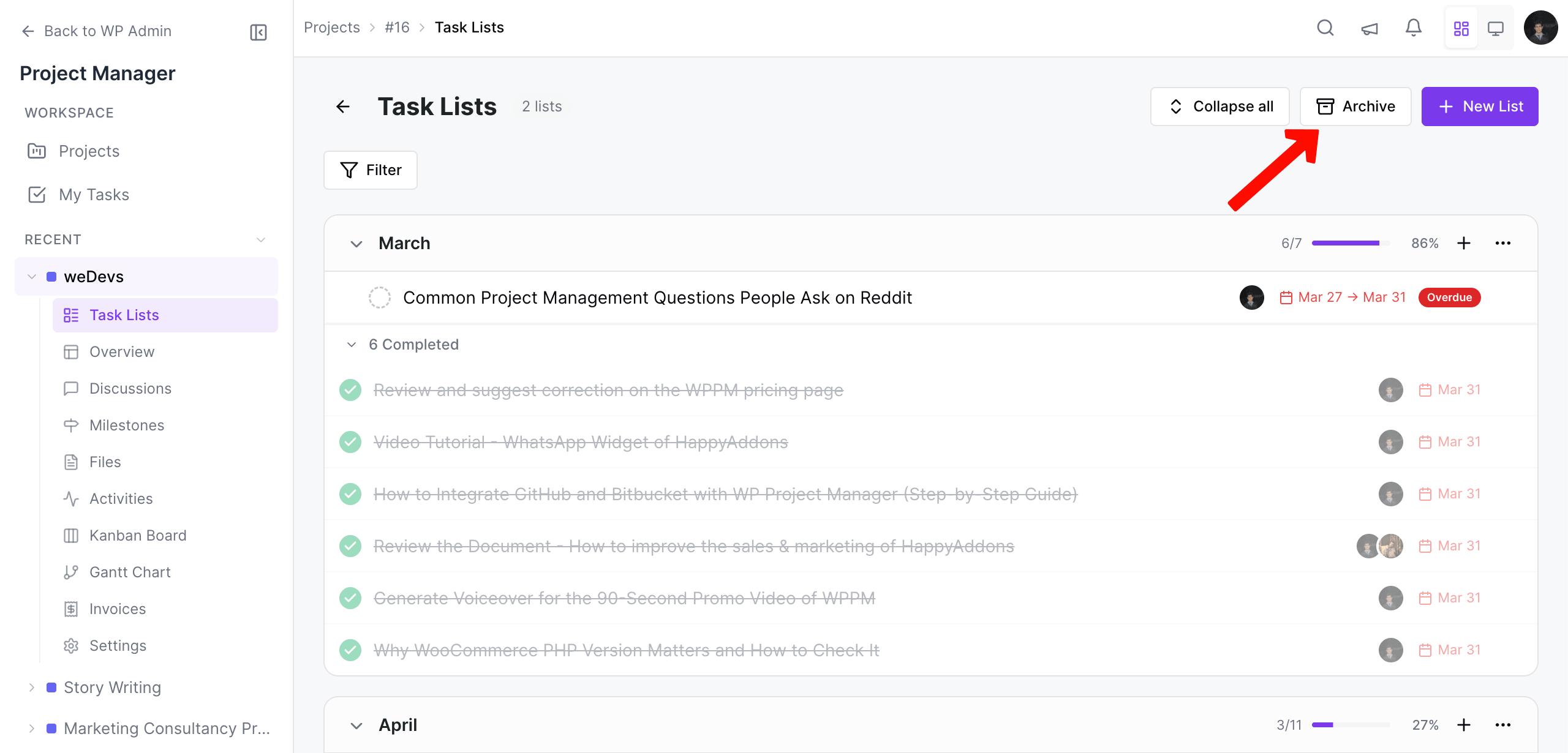
To access all archived lists, click on the Archived List View icon located at the top right of the screen.
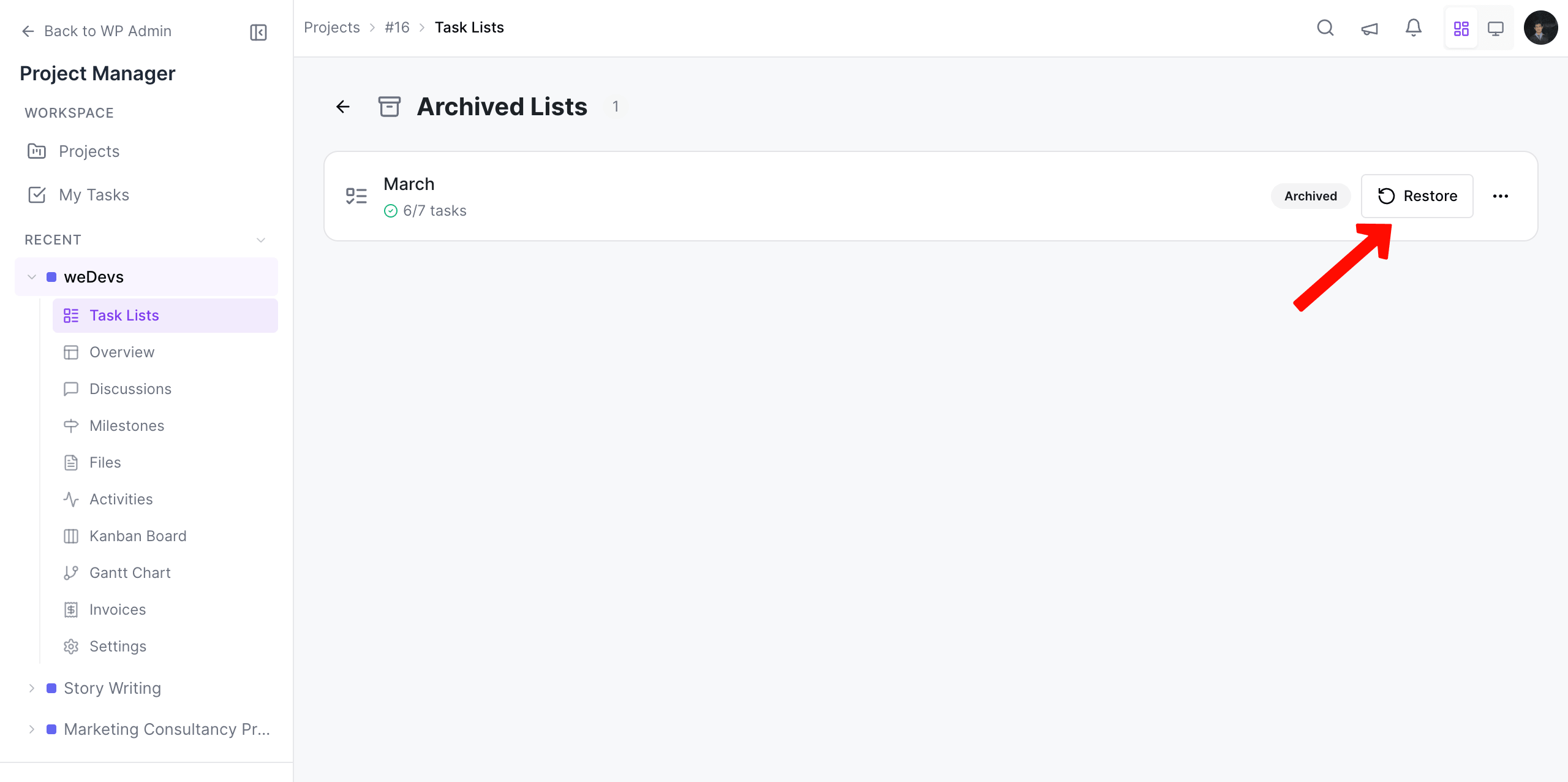
You can restore or delete a task list also. But you cannot make edits while it is archived.