

Frontend Posting Isn’t a Feature | It’s a Scalable Business Model
Most site owners think frontend posting is about convenience. It’s not. It changes how your site can make money. When users can publish content without wp-admin, your site stops being just another website and becomes a platform. You no longer create all the content. Your users do. You stay in control of who can post, what gets published, and when it appears.
That shift is everything. Once users create content, you can:
- Charge for submissions
- Sell memberships or plans
- Control visibility and placement
- Make money from participation, not just traffic
This is how directories, marketplaces, and membership sites work. WordPress gives you the base, and frontend management turns it into a revenue engine. So, frontend posting isn’t a small UX tweak. It’s the first step toward a business powered by user activity.
TL;DR
Frontend posting is not just a usability feature. It is the foundation of a monetized WordPress platform.
By letting users publish, manage, and pay from the frontend, site owners can charge for submissions, sell memberships, control visibility, and earn from participation instead of traffic. WP User Frontend turns WordPress into a scalable system for marketplaces, directories, membership sites, and creator platforms without giving users wp-admin access.
Frontend Posting as the Foundation of a Profitable WordPress Site
Every earning model built on user content depends on one thing: participation. If publishing feels complicated, users hesitate. If it requires wp-admin access, many never start. That hesitation costs you submissions, upgrades, and renewals. Frontend posting removes that friction.

When users can submit posts, listings, or profiles from a clean frontend interface, they behave differently and post more often. They explore upgrades and treat your site like a product, not a tool they are afraid to break. This table breaks down what changes when users publish from the frontend instead of the backend.
| Without frontend posting | With frontend posting |
|---|---|
| You manually handle submissions | Users create content on their own |
| You rely on backend access and training | You control rules, limits, and visibility |
| You struggle to justify paid access | Payments are tied directly to actions |
Relevant Read: Frontend vs Backend Posting: Which Is Best for Your WordPress Site?
How WP User Frontend Enables Monetization at Scale
Frontend posting creates a clear divide in how your site operates and earns. The shift shows up in ownership, control, and monetization. Below, you’ll see how frontend posting moves from a simple feature to a real business model.
1. Frontend Posting (Earn From User Submissions)
Frontend posting is where money enters the system. When users can submit content from the frontend, you decide what they can publish, how often they can publish, and what happens next. That control creates multiple ways to earn, without adding complexity for users.
From a site owner’s perspective, frontend posting allows users to submit:
- Listings
- Profiles
- Articles
- Products
- Custom content types

Each submission has value. And value can be priced. You can charge users:
- Per post or per listing
- Per category or post type
- For higher visibility or featured placement
- For an extended publishing duration
Instead of asking users to contact you or wait for manual approval, frontend posting lets you connect publishing directly to payment or membership rules. The act of publishing becomes the transaction.
This model works especially well for:
- Business directories
- Job boards
- Classified ads
- Community-driven content sites
Frontend posting turns content creation into an action users expect to pay for. You are no longer selling access to WordPress. You are selling the ability to participate.
2. Drag-and-Drop Frontend Forms (Paid Workflows & Applications)
As a site owner, you are not just collecting content. You are defining a workflow. Drag-and-drop frontend forms let you control exactly what users must provide before publishing, without relying on developers or backend access.
This matters for monetization. When forms are structured, you can:
- Require specific fields for paid submissions
- Offer optional paid fields for better visibility
- Create different forms for different pricing levels
For example, a basic listing form can be free or low-cost. A premium form can unlock extra fields like featured images, galleries, external links, or priority placement. Users understand this instantly because the value is visible inside the form.
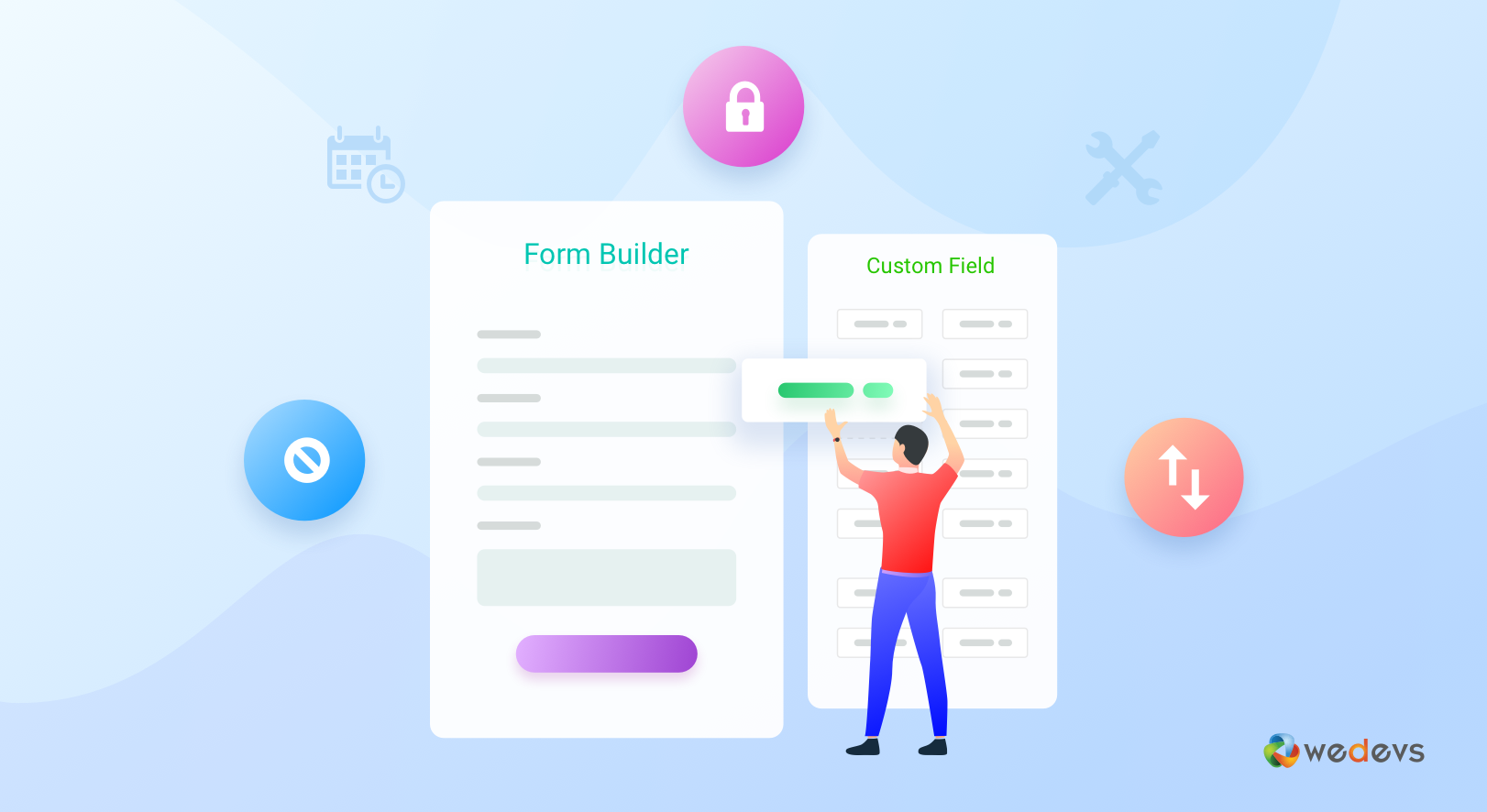
Frontend forms also let you create paid workflows beyond publishing:
- Job applications
- Service requests
- Vendor onboarding
- Event submissions
Each form becomes a controlled entry point where payment, approval, and access rules can be applied.
Instead of treating forms as simple input tools, you use them as monetization gates. The more value a user wants to submit, the more access they need to buy.
3. Post Approval and Moderation (Monetizing Trust & Speed)
Post approval lets you review, edit, or reject submissions from the frontend workflow. That alone protects your site. But it also opens up clear monetization opportunities. You can turn approval into a paid advantage. For example:
- Standard submissions go into review
- Paid submissions get faster approval
- Premium plans unlock instant publishing
Users who care about speed, visibility, or credibility are willing to pay for it. Especially in directories, job boards, and marketplaces, time matters. Approval also allows you to:
- Maintain consistent quality across listings
- Prevent spam without manual cleanup
- Justify higher pricing tiers with editorial control
Instead of approval being a bottleneck, it becomes part of your value proposition. You are not charging users to post. You are charging them for trust, quality, and exposure.
4. Paid Submissions (Pay-Before-Publish Model)
Paid submissions are the most direct way site owners earn from frontend management. Instead of publishing first and figuring out monetization later, you flip the model. Users pay before their content goes live. Simple, clear, and scalable. With paid submissions, you control:
- Who can submit
- What they can submit
- How much do they pay for it
You can price submissions based on real value:
- Listing type
- Category or niche
- Visibility level
- Duration of publication
For example, a basic listing might be affordable and short-term. A featured listing can cost more and stay visible longer. Users choose based on outcomes, not technical features.
Paid submissions also work well with recurring models. Users who publish often prefer plans or bundles instead of paying each time. This naturally leads them toward subscriptions and upgrades.
The biggest advantage is automation. Payments, publishing, and access rules happen in one flow. You are no longer chasing invoices or approving content manually. Publishing becomes a transaction. Your site earns every time a user participates.
5. Subscription and Membership (Recurring Revenue)
One-time payments are useful. Subscriptions are stable.
For site owners, subscriptions turn occasional contributors into long-term customers. Instead of charging every time someone submits content, you sell ongoing access to your platform.
With subscriptions and memberships, you control:
- How many posts a user can publish
- What types of content they can submit
- Whether they can edit, renew, or manage content
- How long their content stays active
This makes pricing easier to understand. Users pay for a plan, not individual actions. In return, they get freedom and convenience.
Subscriptions work especially well when:
- Users publish regularly
- Content needs to stay active long-term
- You want predictable monthly or yearly revenue
You can structure plans around value, not features. A basic plan allows limited posting. Higher plans unlock more submissions, better visibility, faster approval, or premium tools.
Memberships also reduce churn. Once users build content on your site, they are less likely to leave. Their listings, profiles, and posts become reasons to renew.
Subscriptions turn frontend management into a recurring business, not a one-time sale.
6. Frontend User Dashboard (SaaS-Style User Control)
The frontend dashboard is where your platform starts to feel like a product.
Instead of emailing you for changes or logging into wp-admin, users manage everything from one place. Their posts, listings, payments, and status are all visible in a clean frontend interface.
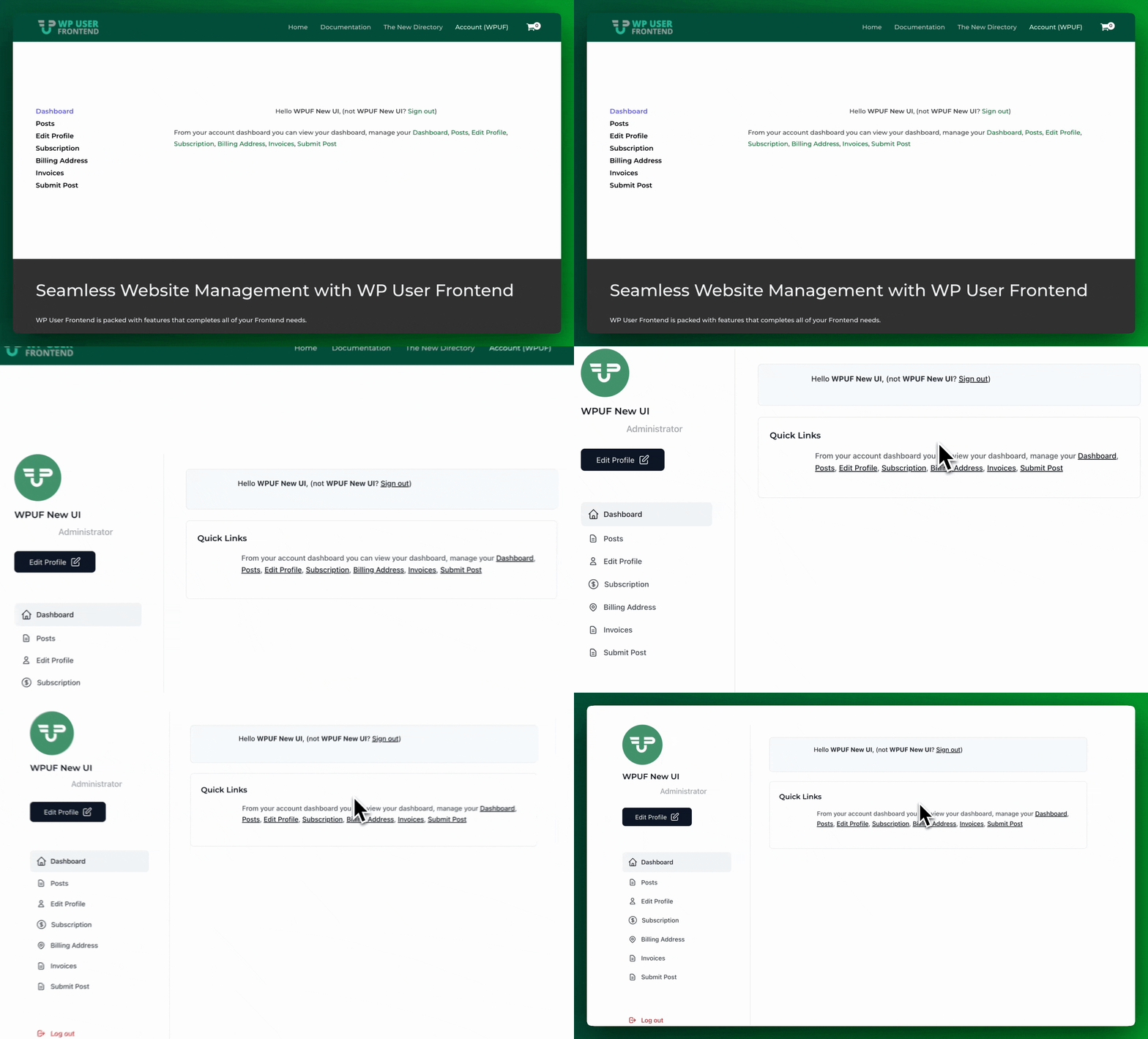
For site owners, this reduces support. For users, it increases confidence. And confidence increases spending.
A frontend dashboard lets users:
- Edit and manage their submissions
- Track approval status
- Renew or upgrade listings
- Manage subscriptions and payments
This creates natural upgrade points.
Basic users might only see limited options. Paid users unlock advanced management tools, bulk actions, extended controls, or better visibility. The difference is obvious, and users understand why higher plans cost more.
The dashboard also keeps users active. When people can manage their content easily, they return more often. More activity leads to more renewals, upgrades, and add-ons.
You are no longer running a website that users visit once.
You are running a system they log into regularly.
7. User Directory (Paid Visibility & Discovery)
A user directory turns your audience into visible assets. Instead of users existing quietly in the background, they become profiles that can be searched, filtered, and discovered. For site owners, this opens up an entirely new revenue stream.
With a user directory, you control:
- Who appears publicly
- What information is shown
- How users are ranked or featured
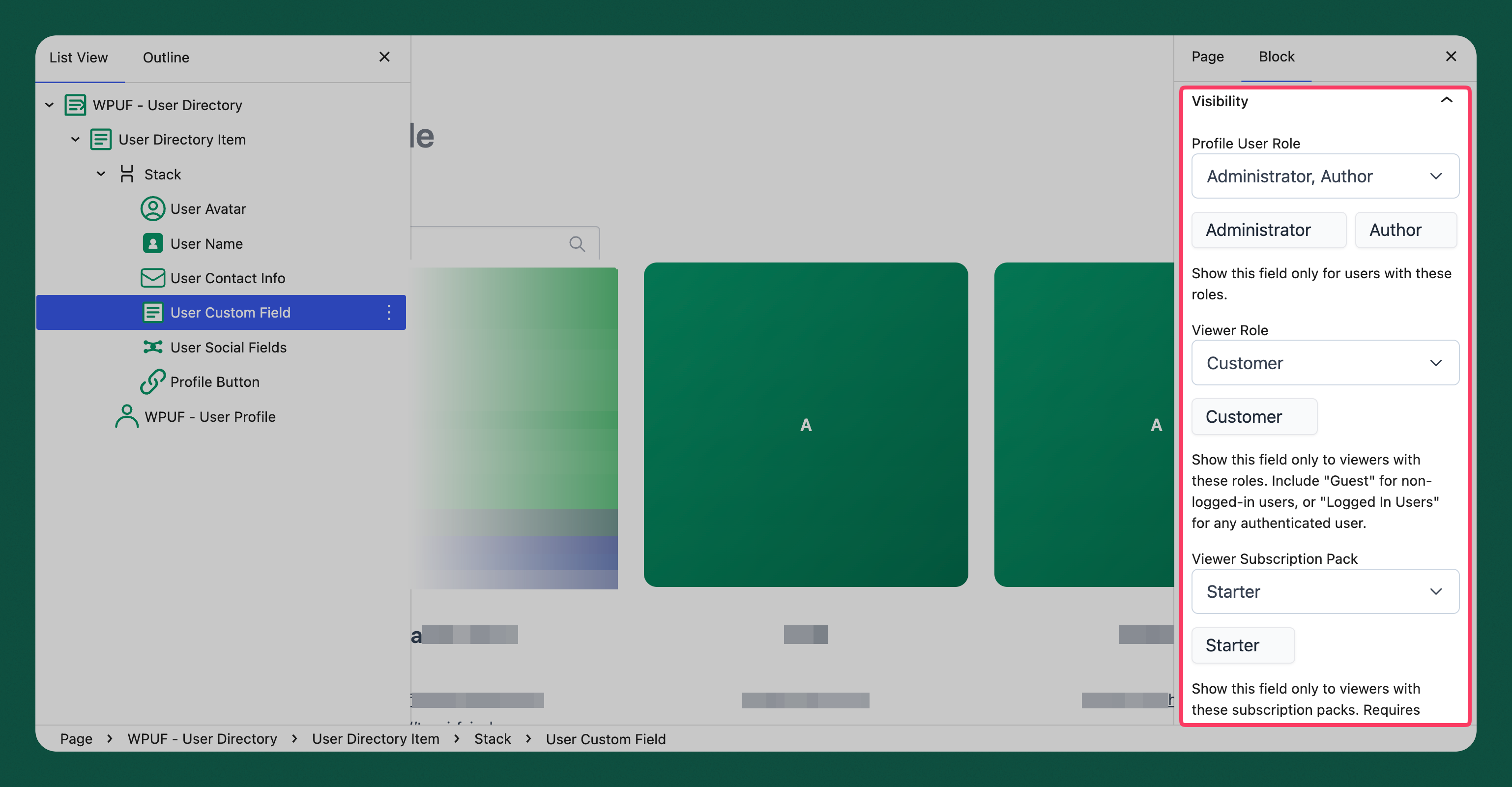
This allows clear monetization options.
You can charge users for:
- Having a public profile
- Appearing in specific categories
- Featured or promoted placement
- Verified or highlighted badges
Directories work especially well for professionals, vendors, creators, or service providers. Visibility has direct value. When users know that appearing higher or richer leads to more attention, paying makes sense.
You can also restrict directories to members only. This adds exclusivity and encourages upgrades. Free users stay hidden. Paid users get discovered.
A user directory transforms your site from content-based to people-based.
And people pay to be found.
8. Role-Based Access Control (Tiered Permissions)
Roles decide who gets power on your site.
For site owners, role-based access control is not just about security. It is how you separate free users from paying users in a clean, scalable way.
Each role defines what a user can do:
- Submit content
- Edit existing posts
- Access dashboards
- Upload media
- See restricted areas
Once roles are in place, monetization becomes straightforward.
Free users get basic access. Paid users unlock additional capabilities. Higher-tier users gain more control, visibility, or automation. You are no longer selling features. You are selling permission.
Role upgrades work naturally with subscriptions. As users grow more active, they outgrow basic roles and move to higher plans. This progression feels logical, not forced.
Roles also reduce complexity. Instead of managing individual permissions for each user, you manage access at the role level. That makes scaling easier and keeps your platform organized.
Role-based access turns your platform into a structured system where every action has a value attached.
9. Content Restriction (Paid Access & Exclusivity)
Content restriction is one of the simplest ways to monetize attention.
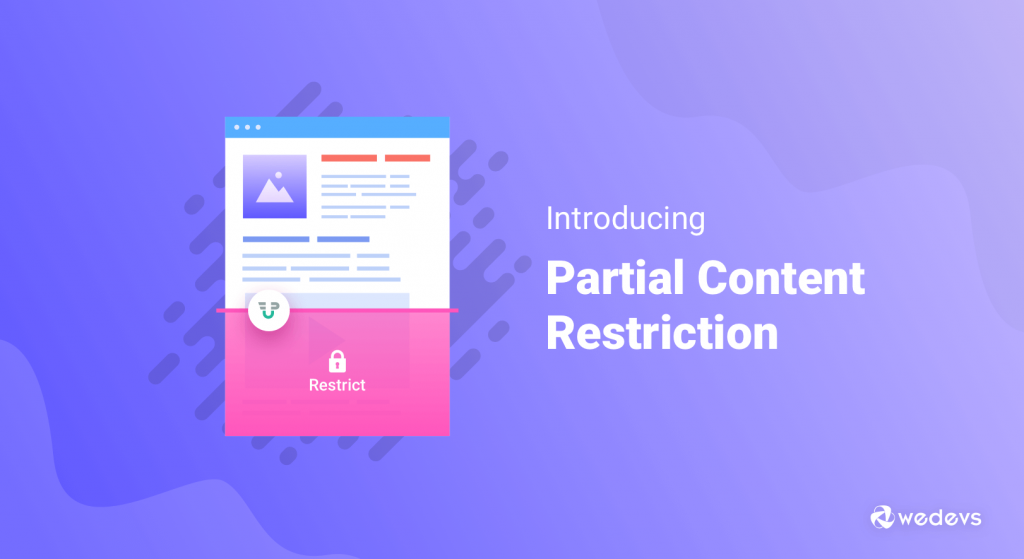
As a site owner, not all content should be public. Some content creates more value when it is limited to specific users or plans. Content restriction lets you control exactly who can see what.
You can restrict:
- Posts and pages
- Sections of content
- Downloads and resources
- Directories or dashboards
This creates clear upgrade triggers.
Free users see previews. Paid users unlock full access. Higher-tier members gain exclusive content, tools, or insights. The value is obvious, and users understand why access costs money.
Content restriction also supports long-term retention. When users rely on restricted content for visibility, learning, or opportunity, they are more likely to stay subscribed.
You are not just charging for information.
You are charging for access to something others cannot see.
10. File Uploads and Media Handling (Storage-Based Pricing)
File uploads add real value, but they also add real cost.
As a site owner, allowing users to upload images, documents, or media from the frontend makes your platform more useful. Portfolios look better. Listings convert better. Applications feel complete.
That value can be priced.
With frontend file and media handling, you control:
- Who can upload files
- What file types are allowed
- How much storage each user gets
This makes monetization straightforward.
Basic plans can allow limited uploads. Higher plans unlock more files, larger sizes, or richer media like galleries and documents. Users who rely on visuals or documents understand the trade-off and are willing to pay for it.
Media limits also protect your site. You avoid abuse while offering paid users a better experience. Instead of treating storage as a hidden cost, you turn it into a revenue driver.
Uploads stop being an expense.
They become a reason to upgrade.
11. AI-Assisted Content Creation
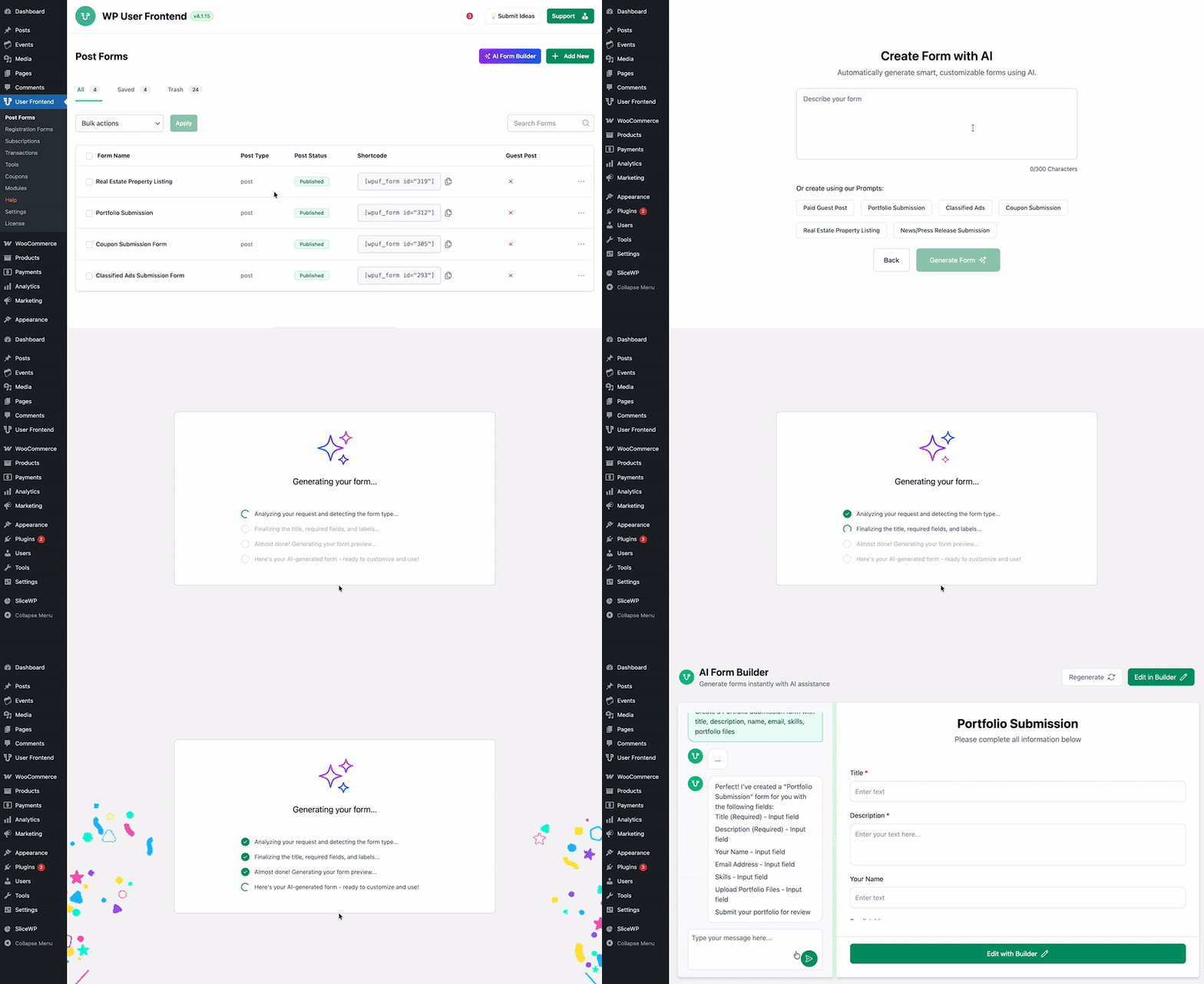
Speed changes behavior. When users can create better content faster, they publish more. And when publishing becomes easier, monetization increases naturally. AI-assisted content creation fits directly into that loop.
For site owners, AI inside the frontend submission flow is not a novelty. It is a productivity upgrade you can charge for.
AI helps users:
- Draft content faster
- Improve clarity and structure
- Reduce effort during submission
This creates a clear value gap between free and paid users.
You can monetize AI by:
- Limiting AI usage to paid plans
- Offering AI credits as add-ons
- Unlocking AI only for higher tiers
Users who publish often value time more than anything. If AI helps them publish in minutes instead of hours, paying becomes an easy decision.
AI also increases content volume and consistency across your platform. More content means more activity, more visibility, and more reasons for users to stay subscribed.
AI turns convenience into a premium advantage.
Real Business Models You Can Build With WP User Frontend
Individually, each feature creates a way to charge. Together, they turn your site into a complete revenue system. For site owners, the real power is not in one feature. It is in how frontend posting, access control, payments, and management work as one flow. Here’s how that looks in practice.
| Business Model | What Users Do | How You Earn |
|---|---|---|
| Marketplaces | Submit listings or products from the frontend | Charge for submissions, featured placement, and subscriptions |
| Directories | Create public profiles in searchable listings | Monetize visibility, categories, and premium placement |
| Membership Platforms | Publish, manage, or access gated content | Sell recurring plans with different limits and permissions |
| Creator & Publishing Networks | Submit articles or media without training | Charge for visibility upgrades, AI tools, and faster approvals |
This is why frontend posting is not just a feature. It is the operating system of a monetized WordPress platform.
Common Monetization Mistakes Site Owners Make
Most monetization problems are not technical. They are structural. As a site owner, you can have all the right features and still struggle to earn if the system is set up incorrectly. These are the mistakes that quietly kill revenue.
- Giving everything away for free: If users can submit, manage, and promote content without limits, there is no reason to upgrade. Free access should encourage participation, not replace paid plans.
- Using wp-admin as a shortcut: Giving users backend access feels faster at first. In reality, it reduces participation, increases support, and makes monetization harder. Frontend systems scale. Backend access does not.
- No clear upgrade path: Users should always see what they get by paying more. When plan differences are unclear, upgrades stall. Limits, visibility, and control must be obvious.
- Charging without value: Payments work when they are tied to outcomes. Speed, exposure, control, and convenience sell. Arbitrary fees do not.
Frontend Posting as Revenue Infrastructure
Frontend posting is not about hiding the backend. It is about building a system that earns while you sleep.
When users can publish, manage, and pay from the frontend, your site stops depending on you. Content grows without manual work. Revenue grows without constant oversight. The platform runs itself.
A complete frontend management system gives you control without friction. You decide who can post, what they can access, and how much they pay. Users get a clean experience. You get a predictable income.
This is the long-term advantage. You are not selling WordPress access. You are selling participation, visibility, and opportunity.
Frontend posting is not a feature. It is the business model behind scalable WordPress platforms.

