Pick a ready-made post or registration form, change the fields you need, and put it live on any page in a few minutes.
Save Setup Time With Form Templates
A template hands you a working form, so the first thing you do is edit rather than build.
Skip the Blank Page
Every template opens with fields, labels and settings already in place.
Ask Only What Matters
Templates come trimmed, so visitors meet a short form instead of a long one.
Collect Content Sooner
A guest post form can take real submissions the same day you install.
Drop It Into Gutenberg
Place a post form with the Post Form block, or use a shortcode instead.
Learn the Builder Fast
A finished form shows new users what each field setting actually does.
Change Every Field
Add, rename, reorder or delete fields until the form fits your site.
See What Every Template Includes
Each one arrives as a full form, not a field list you still have to wire up.
Post Form Templates
Five ship free. Post, Video, WooCommerce, Guest Post Recurring and Paid Guest Post.
- Pro
Registration Templates
Eight signup forms, from Simple User Signup to Club/Association Member.
- Pro
Marketplace Templates
Vendor signup forms for Dokan, WC Marketplace and WC Vendors stores.
Edit Any Template in the Same Builder
Every template opens in the drag-and-drop builder. So you can add fields, rename labels, reorder the layout and set who may submit before the form goes live.
Browse Every Form Template
Five post form templates ship with the free plugin, and Pro adds sixteen more.
Free Post Forms
Post, Video, WooCommerce, Guest Post Recurring and Paid Guest Post.
- Pro
Pro Post Forms
Artwork, Easy Digital Downloads, Portfolio, Press Release, Professional Video, Testimonial, Volunteer and WooCommerce.
- Pro
Pro Registration Forms
Simple User Signup, Personal Blog Author Signup, Community Member Join, Club/Association Member, Survey Panel Signup and three vendor forms.
Preview Pro Templates Before You Buy
The free builder shows the Pro templates alongside the free ones, so you can see exactly what a paid plan adds before you spend anything.
Publish Submissions, Not Just Collect Them
Contact form templates end in your inbox. These end in a live post, a product or a new member.
Posts Go Live
A submission becomes a real WordPress post instead of a form entry.
Products Reach the Store
The WooCommerce template lets sellers add products without a dashboard login.
- Pro
Signups Get Roles
Registration templates hand each new user the role you pick for them.
Authors Edit Later
People update their own posts from the frontend, so your inbox stays quiet.
Payments Come First
Charge per post or sell a subscription pack before a submission publishes.
AI Fills the Gap
Describe a post form in plain words when no template quite fits.
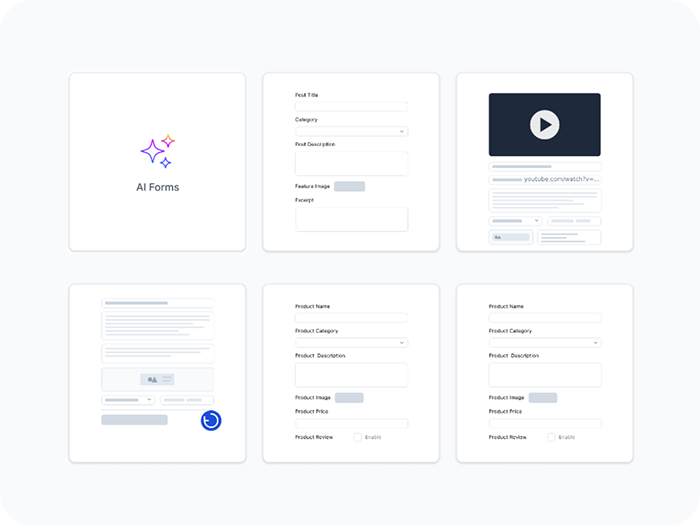
Pick the Template That Matches Your Site
Five common builds, and the template each one starts from.
Frequently Asked Questions
The things people ask before they pick a starting point.
Do form templates need any coding?
[wpuf_form id="123"] or the Post Form block.Which templates come with the free plugin?
Are registration templates free too?
[wpuf-registration] shortcode. However, the eight profile templates and unlimited custom registration fields need a paid plan.Can I change a template after I import it?
What happens if no template fits?
Do templates work with custom post types?
Does Pro replace the free plugin?
Can I reuse a form on another site?
Start Your First Form With WP User Frontend Pro
Twenty-one templates across posts, products and signups, all editable in the same builder.