Add a frontend form that turns visitor entries into real WooCommerce products, then match it to your own categories and attributes in a few clicks.

Get More from WooCommerce Product Submission
A frontend product form pays off in speed, control, and fewer trips to wp-admin.
Launch in Minutes
Start from the bundled WooCommerce template and skip the blank-canvas build.
Skip the Login
Sellers fill out a public page instead of learning the WordPress dashboard.
Spread the Workload
Split product entry across your team or sellers instead of one inbox.
Built for Elementor
Place the same form with the free Post Form Builder widget.
Moderate Before Publishing
Hold new products as pending until you check pricing, images, and copy.
Fields that Fit
Give sellers real product fields instead of one plain text box.
Skip Rebuilding Fields You Already Have
Most frontend add-product plugins hand you a generic form and stop there.
ACF Fields Included
Already run Advanced Custom Fields? The ACF integration is free.
Free Image Fields
The Image and Featured Image fields cover the main photo and extra shots.
Hold for Review
Set the post status to pending so nothing lists until you approve it.
Map Categories, Attributes, and Pricing with Pro
Custom taxonomy support, WooCommerce attributes, and flexible pricing fields, all bundled into WPUF Pro.
- Pro
Map Categories and Attributes
Pro adds custom taxonomy and WooCommerce attribute support. Your own categories and options become form fields.
- Pro
Attributes Become Fields
A size or color attribute set up in WooCommerce becomes a field you can drop in.
- Pro
Taxonomies Carry Over
Custom taxonomy support brings your product categories through as form fields.
- Pro
Charge What Each Listing Is Worth
Free charges one flat fee per listing. Pro pricing fields let you add a fee when a seller picks an extra, and the Cart Total field shows what they owe before they pay.
Build a Form that Knows WooCommerce
Every field maps to a real WooCommerce product, not a lookalike text box.
Start from a Template
A WooCommerce post form template ships with every install, ready to edit.
Control Who Can Sell
Roles decide who can post a product. Guest posting works if you want the form open to all.
Any Post Type Works
WPUF builds forms for any post type, so products need no special setup.
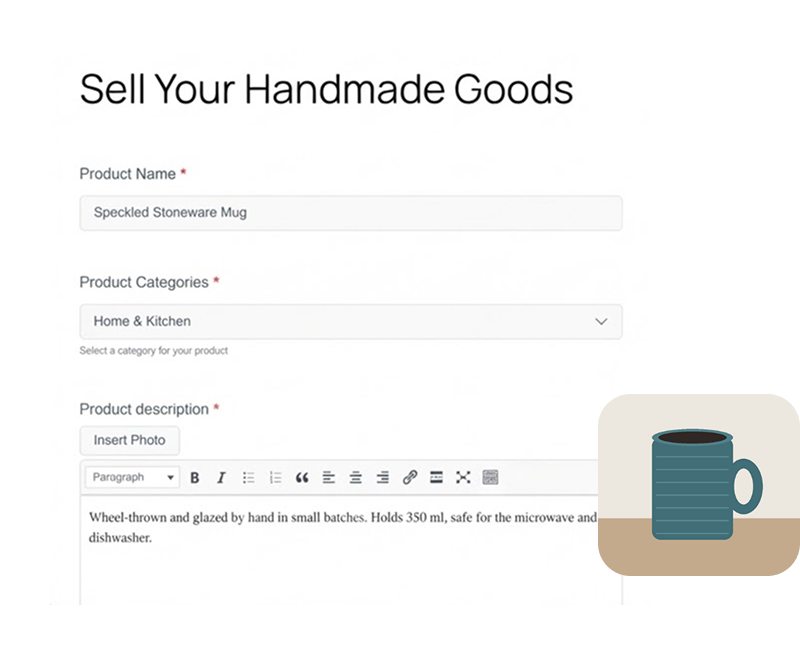
Find Your WooCommerce Submission Use Case
From small vendor sites to internal teams, the same form adapts to who can submit and when.
Frequently Asked Questions
Here is what site owners ask before they let anyone add a product from the frontend.
Do I need WooCommerce installed first?
Does the free plugin submit real products?
Can I charge sellers to list a product?
Can I approve products before they go live?
Can sellers add product photos?
Can people list products without registering?
Is this enough to run a full marketplace?
Do I need to know code?
[wpuf_form id="123"] and give sellers a product dashboard with [wpuf_dashboard post_type="product"].Collect WooCommerce Products with WP User Frontend Pro
Start from the WooCommerce template, add the fields your products actually need, and open submissions today.