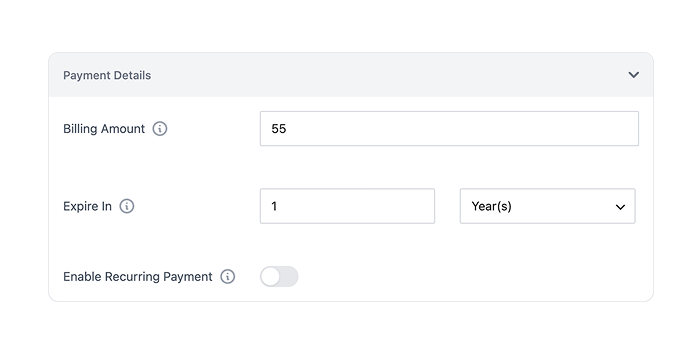
Set a billing cycle in days, weeks, months, or years, then WP User Frontend Pro charges each member on time so you stop chasing invoices.
Run Recurring Billing with Less Admin Work
Manual renewals cost you hours every month, and the members you forget to invoice quietly leave.
Predictable Revenue
You know what lands next month because every pack renews on its own schedule.
Fewer Reminder Emails
Members get charged on time, so nobody on your team sends a nudge.
Simple for Members
People pay once and keep access, with no card details to type again.
Flexible Cycles
Bill weekly, monthly, or yearly, and stop after a set number of rounds.
Clear Records
Every charge shows under Transactions, and every member shows under Subscribers.
Fits Any Page
Your pack list drops onto a pricing page with one shortcode, so no theme work.
Control Every Part of a Recurring Pack
Each pack carries its own price, cycle, limits, and stop rule.
Billing Cycle
Charge again after any number of days, weeks, months, or years.
Billing Cycle Stop
End a plan after a set number of cycles, or let it run on.
Posting Limits
Cap how many posts of each type one pack allows, or set -1 for unlimited.
Run Several Plans Side by Side
Every pack holds its own price, duration, and post limits, so a weekly listing plan and a yearly membership can sell from the same page without fighting each other.
Tie Recurring Billing to What Members Can Do
Most billing plugins only unlock reading, while a pack here also controls posting.
Limits per Post Type
One pack can allow 30 blog posts and 10 product submissions.
Forced Pack Purchase
Ask for an active pack before anyone submits a single post.
Fallback Post Cost
Charge per post once a member uses up the pack allowance.
- Pro
Post Expiration
Posts can expire when the pack period ends, so old listings drop off.
- Pro
Content Restriction
Gate a whole post or part of a page by pack.
- Pro
Expiry Reminders
Email members a set number of days before and after a pack ends.
Sell Recurring Access to Any Audience
Four ways site owners charge on a cycle with WP User Frontend Pro.
Frequently Asked Questions
The answers our support team gives most often about billing on a cycle.
Does recurring payment work in the free version?
Which gateways handle the repeat charge?
Can I stop the cycle after a few rounds?
Can I offer a trial before billing starts?
Do members see their own plan and dates?
Can different packs use different cycles?
Do members get a warning before a pack ends?
Do I need to write any code?
[wpuf_sub_pack] lists your plans and [wpuf_sub_info] shows the member's current subscription. No template edits, and your theme keeps working as it did before.Build Recurring Revenue with WP User Frontend Pro
Set the cycle once, then let every pack renew while you work on the site instead.