We all wait for holidays, don't we? It is the happiest and most enjoyable time for us all. And evidently enough, we enjoy buying all kinds of stuff on holidays.
So if you are an eCommerce store owner, you would definitely want your store to be easily reachable to these potential customers during this holiday period.
Online stores can make approximately 40%-50% of their yearly sales at this time.
As stats suggest, in the holiday period, people are more likely to shop more than usual. Most people look for special offers and discounts during the holiday season.
But if you can't keep your store optimized for the holidays, then you will be missing out on all those curious and potential customers, causing a substantial loss in your eCommerce business.
So if you are looking for ideas to optimize your eCommerce store for the holidays to come, then this post will definitely come in handy for you. Without any further ado, let's get started!
A Quick Overview
The holiday season is the biggest sales opportunity of the year – some stores make 40–50% of their yearly revenue during this time. To help you get ready, we’ve put together 14 actionable tips.
Here’s what you’ll learn in this guide:
- How to create a solid holiday sales plan and run smart promotions
- Ways to decorate your store with festive designs and gift guides
- Marketing strategies like email campaigns, paid ads, remarketing, and social media posts
- Essential checks including inventory, return policy, and website performance
- Steps to optimize for mobile shoppers and deliver excellent customer service
Follow these tips to prepare your eCommerce store and maximize sales in the 2026 holiday season.
The Holiday Season Moved, Most Stores Have Not
Before the tips, one thing worth knowing, because it changes when you should action all of them.
Holiday shopping no longer starts on Black Friday. In 2025 shoppers began buying as early as September, and the peak inside Black Week shifted too. Monday through Wednesday now bring the biggest gains, not Friday itself.
The season also runs longer at the other end. Between early buying, the Black Week spike, and a returns wave that does not settle until February, you are planning a three-month arc rather than a four-day event.
Three things follow from that.
- Your campaigns should start earlier than they used to. A store that goes live on Black Friday morning has already missed two months of buying.
- Your biggest traffic day may not be Friday. Load-test for the Monday before, not just the day itself, and check how much traffic WooCommerce can handle before you find out the hard way.
- Your holiday plan needs a January section. Returns, exchanges, and win-back campaigns are part of the season, not the aftermath.
Your Holiday Calendar, July to January
Peak season is won in July, not November. The things that cannot be fixed under load, site performance, inventory depth, feed hygiene, and automated flows, all need a multi-week runway.
| When | What to do | Why then |
|---|---|---|
| July | Review last year's numbers. Set goals and KPIs. Start inventory forecasting and place long-lead orders. | Supplier lead times are the longest constraint you have |
| August | Audit site speed and Core Web Vitals. Clean up product feed data. Begin email sender warm-up. | Performance fixes take weeks to land and verify |
| September | Build campaign creative. Segment your audience. Early shoppers are already buying, so run a soft offer. | The season has already started by now |
| October | Load-test for 10x normal peak traffic. Test the full mobile checkout. Publish shipping cutoff dates and your holiday return policy. | Last month you can safely change anything |
| November, weeks 1 to 3 | Code freeze. Brief support. Stage every campaign. Warm up your list with early access. | No large changes this close to peak |
| Black Week | Monitor, respond, and adjust. Watch stock levels hourly on your top sellers. | Monday to Wednesday now carry the peak |
| December | Last-minute and gift-card push. Communicate cutoffs clearly. Prepare clearance. | Late shoppers convert on urgency and delivery certainty |
| January | Process returns. Run win-back campaigns on everyone who bought once. Review what worked. | The best retention window of the year, and the one most stores skip |
Put a name and a date against every row. A workstream without an owner does not happen in November.
14 Most Effective Tips to Prepare Store for Holiday Sales
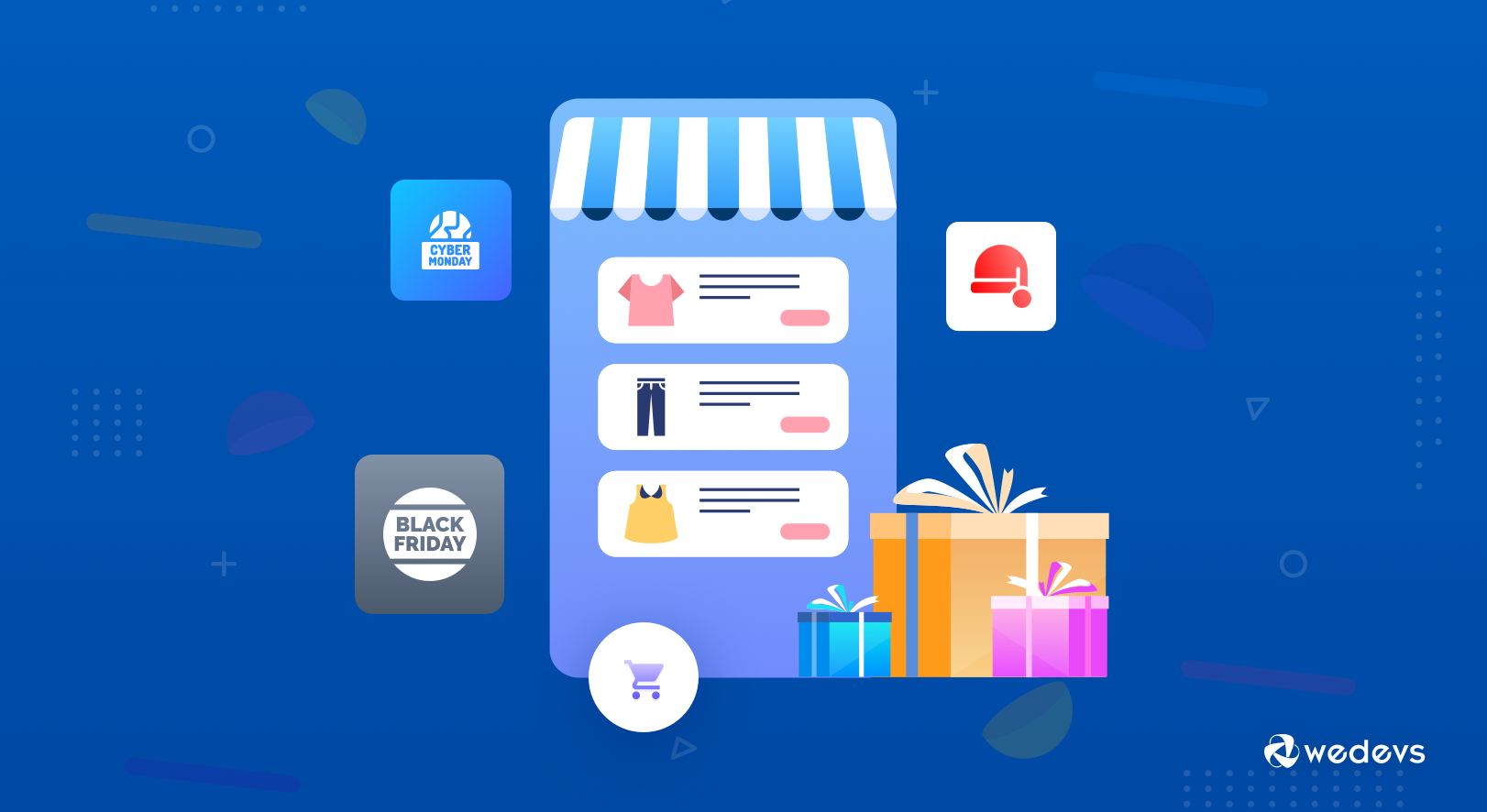
After tackling holiday marketing campaigns for over a decade, we have come up with the following 14 most effective tips to prepare stores for holiday sales.
Consider trying these holiday sales tips to get the most out of the holiday season:
| 1. Make a Strong Holiday Sales Plan | 8. Make Posts on Social Media |
|---|---|
| 2. Festoon Your Platform with A Holiday Design | 9. Make Sure the Customers Get an Optimized Service |
| 3. Boost your Sales with Holiday Promotions | 10. Ensure Your Site is Mobile-Friendly |
| 4. Plan an Email Holiday Marketing Campaign | 11. Confirm Return Policy |
| 5. Utilize Paid Advertising Strategies | 12. Check Your Inventory and Keep Enough Stock |
| 6. Adopt Remarketing Strategy | 13. Make Sure Your Website is Working Properly |
| 7. Add Gift Guides on Your Site | 14. Ensure Good Customer Service |
| 15. Prepare for AI Shoppers, Not Human Ones |
Now let's get into the details!
1. Make a Strong Holiday Sales Plan
If you own an eCommerce store but don't have any holiday plan, then make a holiday sales plan now else you will be lagging behind your competitors.
Holidays are considered the perfect time to grab the attention of new customers to your website. Of course, you should also retarget your old ones.

You can offer gift packages & special promotions. Keeping the marketing strategy in mind, you may need to bring some changes to your platform's design as well.
2. Festoon Your Platform with A Holiday Design
Many online store owners get confused between redesigning the whole website or redesigning the homepage only.
You should decorate the homepage with a holiday look. To do this, you need to select a user-friendly holiday theme & then customize it according to your plan.
For instance, you can update your website by creating a winter fairy tale or you can add a counting down the clock until the holiday starts. These simple tactics will affect the customer's psychology & generate an urge to purchase a product as soon as possible.
We have enlisted some noteworthy points that you should always keep in mind while adding a holiday theme to your site-
- Must add strong holiday sales
- Don't forget to highlight the offers
- Make changes in a simple but effective way
- Lastly, add a call to action button.
You can follow these tips to redesign your website.
3. Boost Your Sales with Holiday Promotions
You need to plan your holiday promotions first. It will boost your sales. Besides, Some customers may not understand what to buy, so this promotional offer comes as a good option for them. For your convenience, here are some tips to manage your holiday promotions-
a) Choose Top Selling Products
Here, you need to do some research work on products. Like, which products do people like the most just before the holidays get started? Make a separate list of those products & highlight them in such a way that people can easily locate them.
b) Recommend Gift Cards
The foremost benefit we find about this offer is it increases your sales & revenue. As the customer is able to buy great products at a discount value, it is considered as a boon to the last-minute shoppers.
c) Go for Upsell
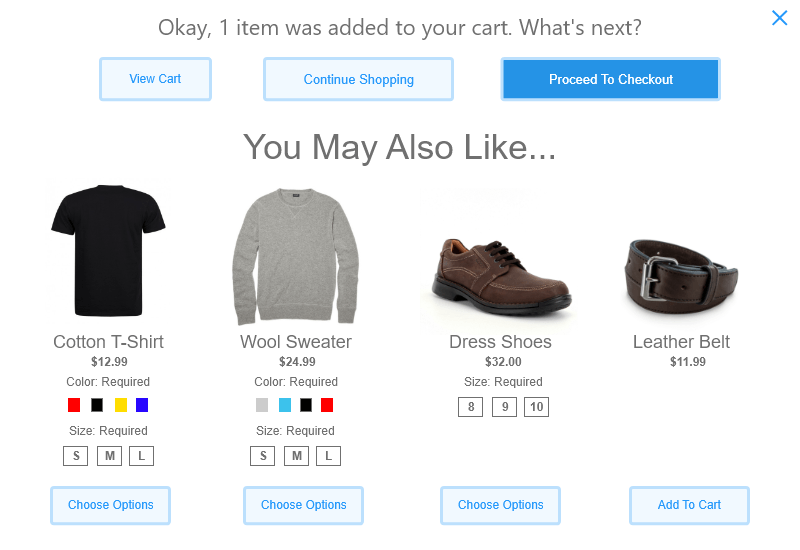
During the holiday days, you can get a good opportunity to upsell products. Because these tactics create urgency among the customer to try out a more expensive, premium, or upgraded version of their chosen item.
d) Gift Sets & Bundle
Combine similar or complementary products in a set. Instead of a single product offer the customer's gift sets and bundle. For instance, you can combine different color cosmetics in one box.
4. Plan an Email Holiday Marketing Campaign
It is a must to do a thing. The email will notify your customers about various personalized product ideas & offers.
Another great offer you can provide to your customers is special promo codes, discounts, and free shipping to only those who often check your emails.
Set an urgency among them, like limiting your offers within a few days. You can also use the countdown system for notifying the offer deadline.
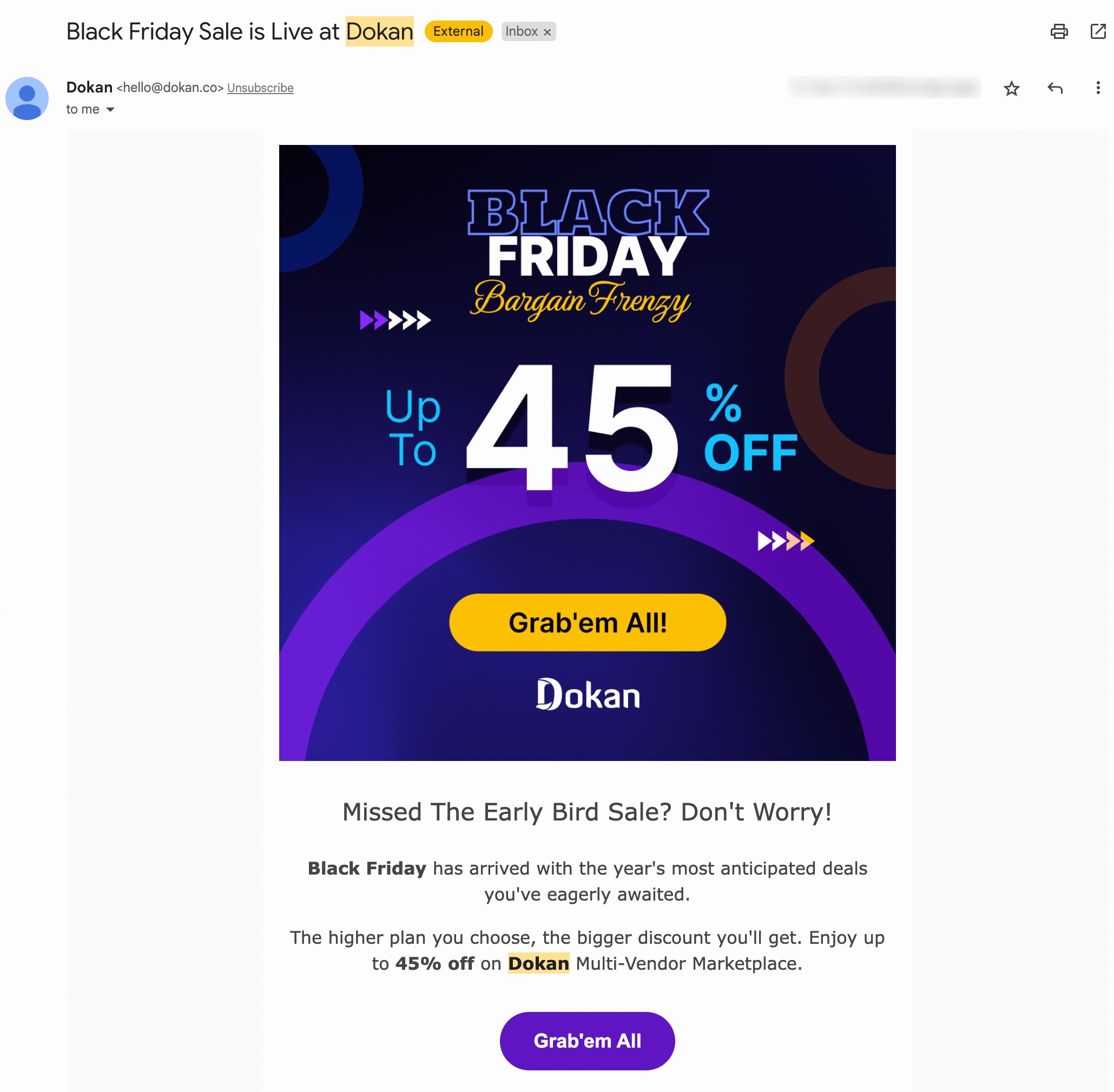
Some people add products to charts & later don’t purchase them due to many reasons including poor net connection, running out of money, unable to make a decision, & ultimately closing the page doing nothing. You can send them an email as a gentle reminder regarding those abandoned lists.
5. Utilize Paid Ads
During the holiday days, people often get attracted to any site after seeing the ads. As your competitors use this technique, you should also come with eye-catching offers to stand out in the mainstream.
Here, personalized ads will make your path easier since people are too lazy to spend their time on impersonal ads.
6. Adopt the Remarketing Strategy

Sometimes we visit a page & find a compatible product for someone special on a special occasion. You may have marked that product & decided to purchase it on Christmas
Many customers often do this, they select an item and make a budget according to that so that they can buy it till the occasion arrives. Unfortunately, what happens is that they sometimes forget about it later.
For these cases, you can use the remarketing option. This is a marketing strategy where you target the users who have visited your page before and interacted with it. This is a great way to remind people about your shop.
7. Add Gift Guides on Your Site
Gift guides can actually be a ray of hope for people who don't have much idea about giving gifts. Furthermore, if the gift guides were categorized into different sections, that would be more helpful to the customers.
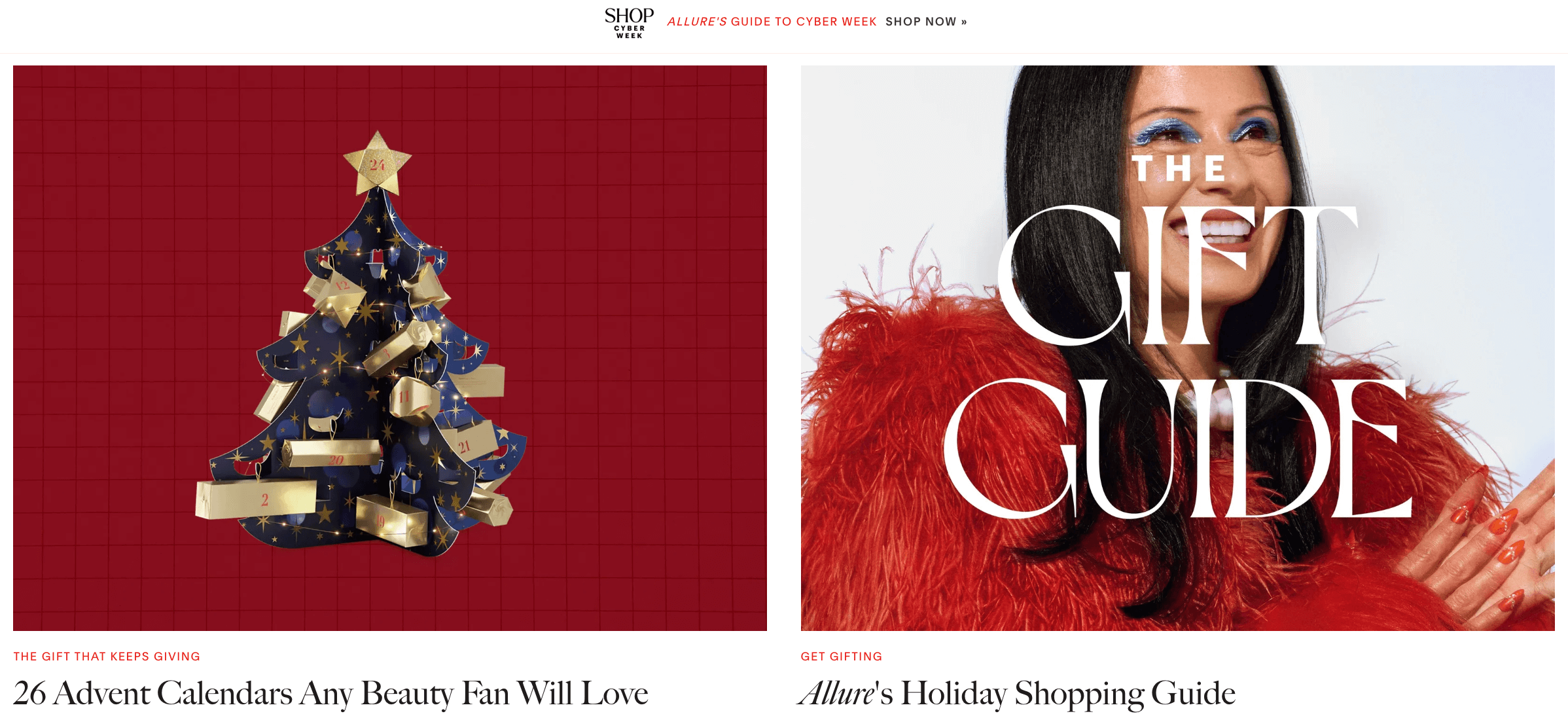
Decorate your online store with different kinds of gifts and guides. You can take ideas from Allure where customized gifts are available with amazing gift ideas and guides.
8. Make Posts on Social Media
Publicity is very important if you want to attract more and more people to your store. Almost all people use social media like Facebook, Instagram, or Twitter. You can post your product updates on these media.
Wouldn't it be great if any of your customers fell in love with your products while scrolling down?
So along with having a website, you can create an Instagram account for your store and make shoppable posts. You can also display your deals and offers there to reach a larger audience.
Below you'll find weDevs Halloween discount post from their Instagram-
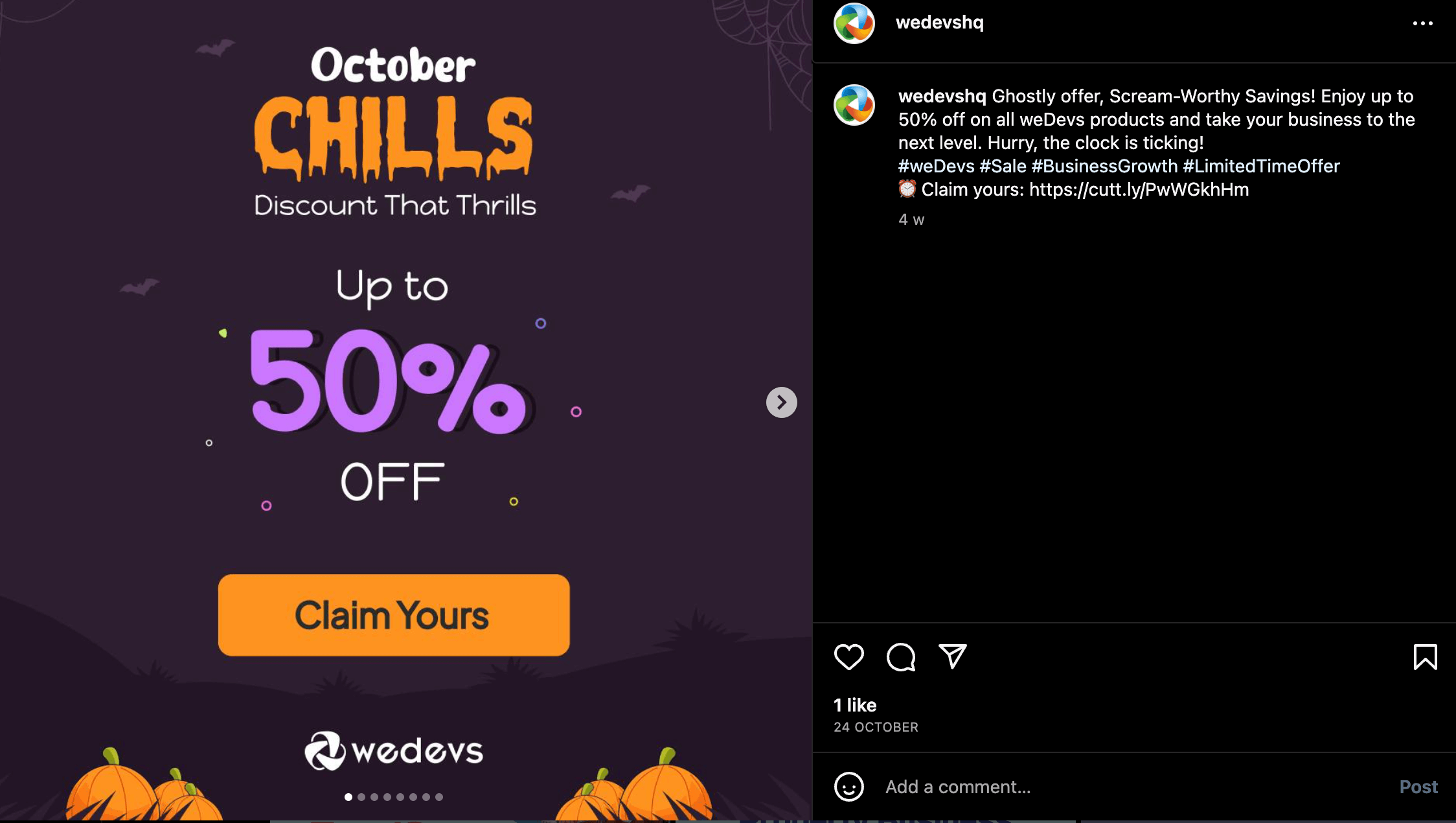
To get tips about how to make your posts shoppable on Instagram, you can check the article by our expert team.
9. Make Sure the Customers Get an Optimized Service
After enriching your store with lovable gift products and getting much publicity, you have to focus on the customer's experience as well. Always think about improving the experience of the customers on your platform.
You can think about the simple ways in which your customers can get their products easily. During the holiday season traffic is much higher online, try to solve every problem your customers can face.
10. Ensure Your Site is Mobile-Friendly
In this era of technology, people want everything in their hands. So most people prefer using mobile phones while doing online shopping. Make sure there is no problem running your website on mobile phones.
Before holidays, people generally use their phones to check what they can buy as gifts. As Mobile commerce is the most popular thing nowadays, test your mobile version website before any holiday season. This way, customers will face no problems while visiting your store through mobile.

11. Confirm Return Policy to Prepare Store for Holiday Sales!
Sometimes customers complain about many products after receiving them and want to return them. If you ensure an easy return policy the customers will trust your platform more. So do not make the return policy difficult if anyone wants to return any product.
12. Check Your Inventory and Keep Enough Stock
Always check the list of products you are keeping in your store. Assure that you have a number of the same products in stock as many people can order the same product or you may have to replace any product.
13. Make Sure Your Website is Working Properly
As the holiday season is here, there will be a lot of traffic on your website so do not make any big changes to your website now. Check all the functionalities of your website and ensure your customers have a smooth journey.
Make sure your website is able to survive the huge traffic during the holidays. If this factor is okay then the customers will enjoy shopping from your website. This is how you should prepare the store for holiday sales!
14. Provide Good Customer Service
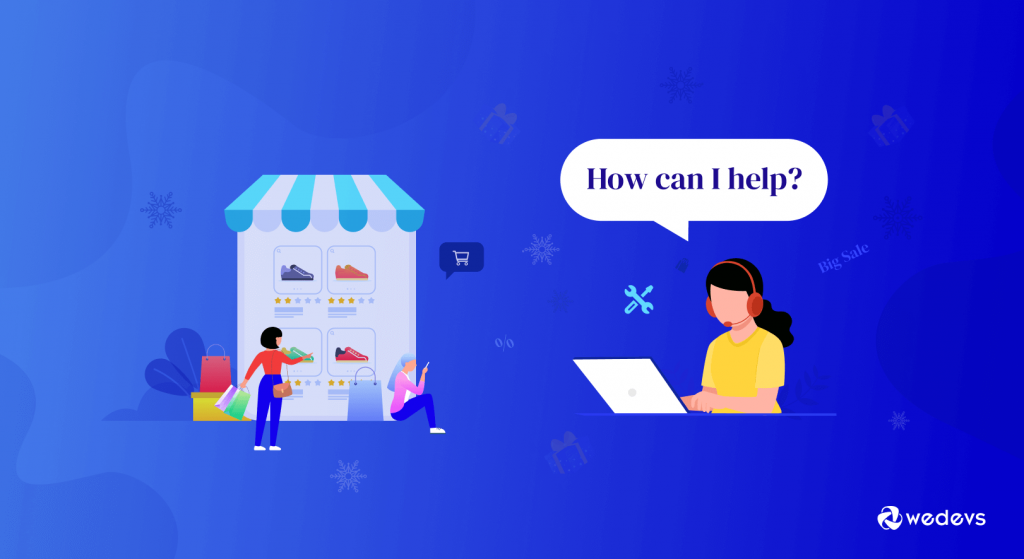
During holidays People are more likely to contact customer service regarding any inquiry about the products. Every customer wants to know all the details about a product before buying it. So they will contact your site through customer service.
Your Customer service section should be responsive. You can enable the live chat option or provide any contact number or email address to provide a better service.
15. Prepare for AI Shoppers, Not Just Human Ones
This one did not exist two holiday seasons ago and it is now the fastest-moving change in eCommerce.
AI-referred retail traffic surged 693% in 2025, and Adobe reported that conversion rates for AI traffic improved through the first quarter of 2026. People are finding products through ChatGPT, Perplexity, and Google's AI results, then arriving at your store already informed. Our guide to generative engine optimization covers how that discovery actually works.
There is also a trust gap worth knowing. 63% of shoppers want AI for product discovery, but only 4% trust it at the payment stage. That tells you exactly where AI helps and where it does not.
Four things to do about it.
- Make your product data readable by machines. Clear titles, complete specifications, real descriptions rather than keyword stuffing. AI systems parse structured data, and a product with thin information does not get recommended.
- Answer buying questions on the page. Sizing, materials, delivery time, return window. If the answer is not on your site, the AI answering the shopper's question invents one or sends them elsewhere.
- Automate first-level support. “Where is my order” is the single highest-volume question during peak. An AI agent can handle it, provided you set a clear trigger for handing off to a human on refunds, complaints, and VIP customers.
- Put your holiday rules in the knowledge base, not just a landing page. Shipping cutoffs, return windows, and promo terms need to live where your AI assistant can read them.
That last point is the one most stores miss. A beautifully designed holiday landing page is invisible to the chatbot answering your customers at midnight, which is why a proper documentation-backed support setup matters more than it used to.
That last point is the one most stores miss. A beautifully designed holiday landing page is invisible to the chatbot answering your customers at midnight.
Holiday Preparation for a Multivendor Marketplace
Everything above assumes you own the products you are selling. If you run a marketplace, you do not, and that changes almost every decision on this list.
Five questions to settle before your first campaign.
Who Funds the Discount?
Three answers, and you need to pick one in writing. Vendor-funded, where the seller absorbs the cost and your commission falls with the price. Platform-funded, where you cover it and vendors receive their full expected amount. Or shared, split in line with your commission.
Decide it before the campaign rather than at the first payout. A vendor who discovers after the fact that your sitewide sale came out of their margin will not join the next one.
Is Commission Calculated on the Sale Price or the Original?
If a $100 product sells for $80 and your commission is 15%, do you earn $15 or $12? Both are defensible and they send very different signals. Most marketplaces settle on the discounted price, because it aligns both sides. The important part is that it is written into your vendor terms rather than discovered.
Our guide on how vendor commission works covers the options in detail.
Are Your Vendors Actually Ready?
Your marketplace is only as prepared as your least prepared seller. Before Black Week, confirm that each vendor has stock depth on their best sellers, has staff covering the weekend, knows the shipping cutoff dates, and has read the return policy they are about to be held to.

Send that as a checklist in October. Chasing it in November is too late.
What Happens if a Vendor Goes Dark?
A seller who stops responding mid-Black-Week is a real risk, and the customer will blame your marketplace rather than them. Decide in advance who fulfils, who refunds, and at what point you pause a vendor's listings. This is one of the things a proper marketplace maintenance routine should already cover.
How Do Returns Work Across Several Vendors?
One order containing three vendors' products can become three separate returns, three refunds, and three restocking decisions. Make sure your process handles that before the volume doubles, because the January queue is where multivendor marketplaces break.
Marketplaces that get these five right treat vendor readiness as part of their own readiness. The ones that do not find out the difference in the second week of December, when support across several vendors stops being manageable by hand.
FAQs on Store Preparation for Holiday Sales
1. When should I start preparing my eCommerce store for the holiday season?
It’s best to start planning at least 2–3 months before the holidays. This gives you enough time to design campaigns, stock inventory, and test your website.
2. What type of holiday promotions work best for online stores?
Discount codes, bundle offers, free shipping, and limited-time flash sales usually perform well. It depends on your audience and product type.
3. How can I make my eCommerce website more holiday-ready?
Add festive designs, create gift guides, ensure your site is mobile-friendly, and check for smooth navigation. A fast and secure checkout also makes a big difference.
4. How do I handle a sudden spike in holiday traffic?
Optimize your hosting, use caching, and make sure your website can scale during high-traffic periods. Also, test your website speed in advance.
5. What should I do if products go out of stock during the holidays?
Keep extra inventory ready, but if items sell out, offer alternatives or pre-orders. Clear communication with customers helps maintain trust.
Prepare Store for Holiday Sales: Happy Holidays!
Now that you have come to know all the tips and tricks about how you can make more profit during holidays, don't be late in applying them. What challenges you have to face is clear to you now, so take your steps smartly.
As the holiday season is almost here, don't waste any more time, start planning everything according to the tips given in the above article. Surely your online platform will be able to make enough profit if you follow all the given tips properly.
Want to check the best Black Friday and Cyber Monday deals? Read our blog on best BFCM deals to find the most suitable deal for you!
Do you have any questions about preparing your store for holiday sales? Let us know in the comments section below!